How Game Engines Like Unreal and Unity Actually Work
You are playing a game. A car explodes, fire spreads in all directions, debris scatters across the ground, and shadows shift in real time as smoke fills the air. It all happens in a fraction of a second, fluidly, without a single stutter. Have you ever stopped and wondered — how does any of this actually happen?
Understanding how game engines like Unreal and Unity work is one of the most fascinating rabbit holes in all of technology. These are not just programs. They are entire ecosystems of systems working together — rendering, physics, audio, scripting, animation, and more — all running simultaneously, sixty times per second, on your hardware. so How Game Engines Like Unreal and Unity Actually Work?
Whether you are a curious gamer, an aspiring developer, or simply someone who loves technology, this guide from ApkBallo breaks it all down — no coding degree required.
What Is a Game Engine? — Quick Answer
A game engine is a software framework that provides the core tools and systems developers need to build a video game — without having to write everything from scratch. Instead of coding a physics simulator, a rendering pipeline, an audio engine, and an input handler separately for every new game, developers use a game engine that already includes all of these systems in one package.
Think of it like this: a game engine is to game development what Microsoft Word is to writing. You focus on the content — the story, the levels, the gameplay — while the engine handles the underlying machinery.
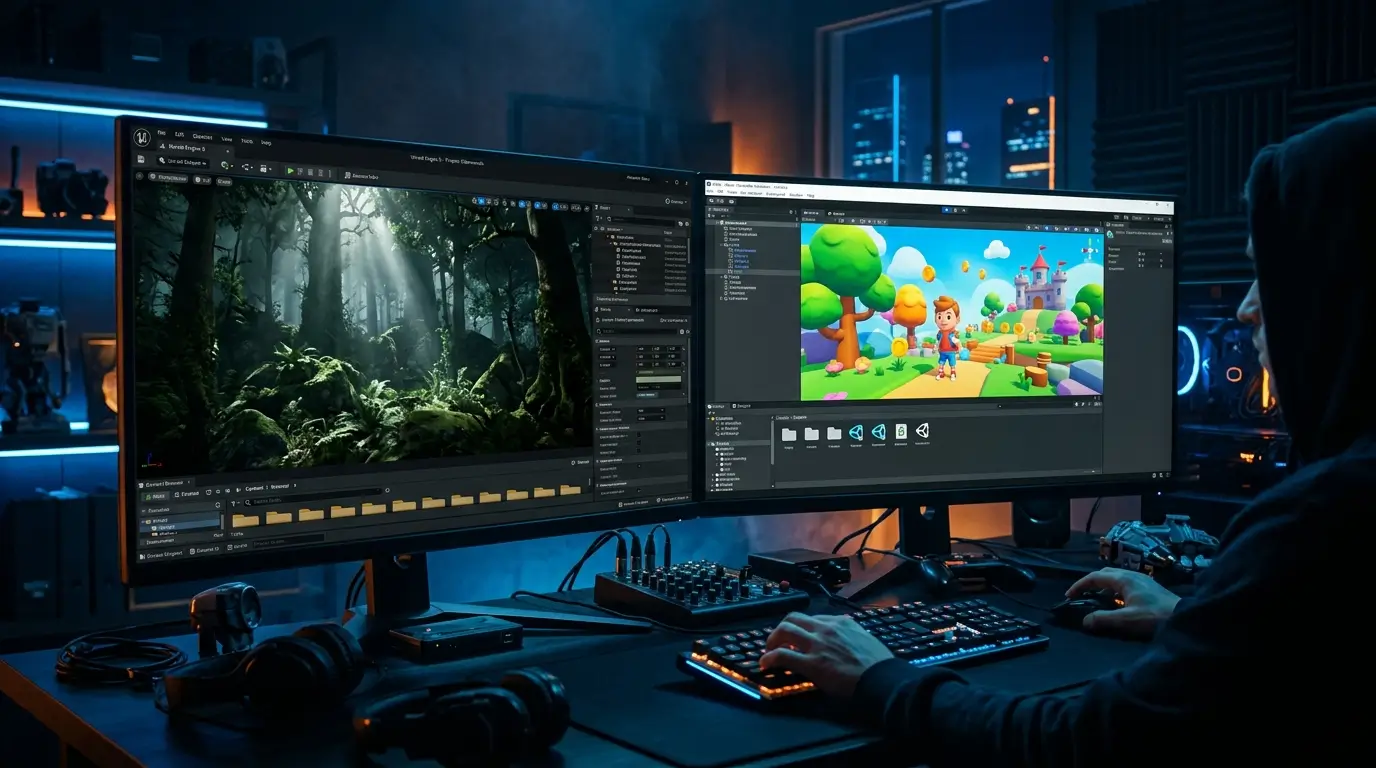
The two most powerful and widely used game engines in the world today are Unreal Engine (made by Epic Games) and Unity (made by Unity Technologies). Between them, they power thousands of games across every platform — from mobile apps to AAA blockbusters.
The Core Systems Inside Every Game Engine
Every game engine — whether it is Unreal, Unity, Godot, or a custom-built one — is made up of several interconnected systems. Here is what each one does.
1. The Rendering Engine — Making Things Visible
The rendering engine is responsible for drawing everything you see on screen. Every frame — typically 30 to 120 times per second — the rendering engine calculates what every pixel on your monitor should look like based on the current state of the game world.
This involves:
Geometry processing — The 3D models in the game (characters, buildings, trees) are made up of thousands of tiny triangles called polygons. The rendering engine processes these polygons and determines where they appear on your 2D screen based on the camera position.
Shading and materials — Every surface in a game has a material that tells the renderer how it should look. Is it metallic? Rough? Transparent? Shaders are small programs that calculate the colour and appearance of every surface pixel-by-pixel.
Lighting calculations — Light behaves differently depending on the surface it hits. The renderer simulates how light bounces, reflects, and casts shadows. Modern engines use techniques like ray tracing to calculate this with remarkable physical accuracy.
Post-processing effects — After the scene is rendered, additional effects like motion blur, depth of field, bloom (the glow around bright lights), and colour grading are applied on top to give the image its final cinematic look.
Unreal Engine’s rendering system — called Nanite — can handle billions of polygons per scene. Unity’s High Definition Render Pipeline (HDRP) provides similar capabilities for high-end platforms.
2. The Physics Engine — Making Things Move Realistically
The physics engine simulates the laws of the physical world inside the game. When a ball rolls down a slope, when two cars collide, when a character falls off a ledge — all of that is calculated by the physics engine in real time.
Key physics systems include:
Rigid body dynamics — Simulates solid objects that do not deform. A thrown grenade, a falling box, a rolling barrel — all rigid body physics.
Collision detection — Every frame, the physics engine checks whether any objects in the world are touching or overlapping each other and calculates the appropriate response (bounce, stop, break).
Soft body and cloth simulation — More advanced simulations that handle objects that deform — fabric, jelly, flesh, rope.
Ragdoll physics — When a character is knocked unconscious or killed, control passes from the animation system to the physics engine, which takes over and lets the body collapse naturally under gravity and momentum.
Unreal Engine uses the Chaos Physics system. Unity uses PhysX (developed by NVIDIA) as its primary physics backend.
3. The Game Loop — The Heartbeat of Every Game
This is the most fundamental concept in all of game development, and almost nobody outside of developers ever hears about it.
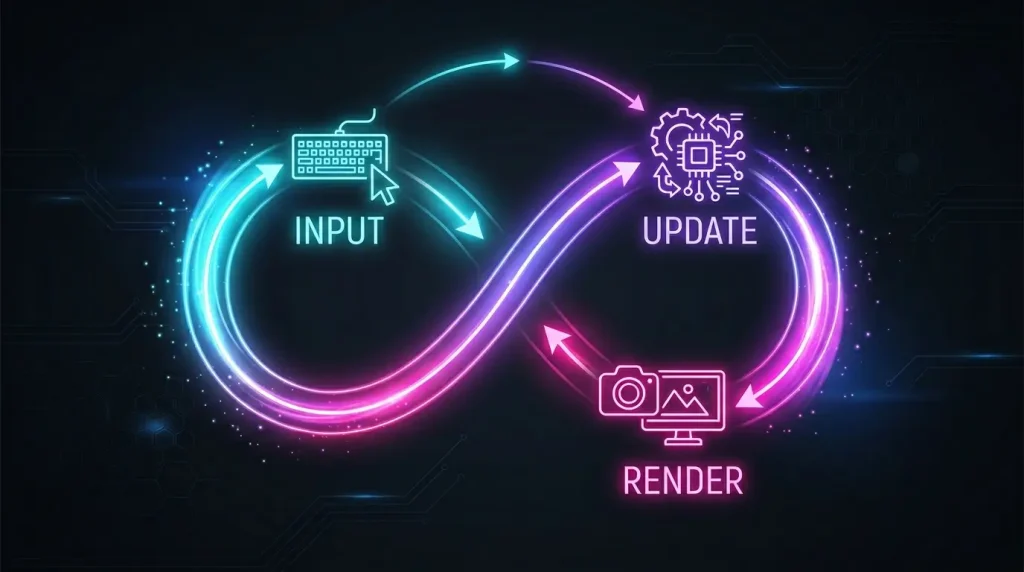
A game loop is a continuous cycle that runs as long as the game is running. Every single frame, it performs three steps in sequence:
Step 1 — Process Input Check what the player is doing right now. Is a button being pressed? Is the mouse moving? Is a controller thumbstick tilted? Gather all input data.
Step 2 — Update the World Apply the input to the game world. Move the character. Calculate physics. Run AI logic. Advance animations. Check win/loss conditions. Update every system that needs updating.
Step 3 — Render the Frame Take the current state of the entire game world after all updates and draw it to the screen as one complete image.
Then immediately repeat. Sixty times per second for a game running at 60 FPS. This loop never stops until the game closes.
Everything you experience in any video game — every interaction, every animation, every piece of AI behaviour — flows through this loop.
4. The Scene Graph — Organising the Game World
The scene graph (called the Hierarchy in Unity or the World Outliner in Unreal) is a data structure that organises every object in the game world and defines their relationships to each other.
Objects in the scene graph can be parents or children of other objects. If a character (parent) picks up a sword (child), the sword’s position becomes relative to the character’s hand. When the character moves, the sword automatically moves with it — because of the parent-child relationship in the scene graph.
This hierarchical organisation makes it efficient for the engine to update, render, and track thousands of objects simultaneously.
5. The Asset Pipeline — Managing Everything in the Game
Games contain enormous amounts of data — 3D models, textures, audio files, animations, video clips, fonts, scripts. The asset pipeline is the system that imports, processes, compresses, and organises all of this content so the engine can use it efficiently.
When you import a 3D model into Unity or Unreal, the engine automatically converts it into its own optimised internal format. It generates mipmaps (multiple resolutions of the same texture so distant objects use lower-resolution versions), compresses audio files, and pre-calculates lighting data.
Without an efficient asset pipeline, a modern game with gigabytes of assets would be unusable.
6. The Scripting System — Making Things Interactive
A game engine provides all the underlying systems, but developers need a way to program the specific behaviour of their game — how enemies patrol, how the player earns points, what happens when a door is opened.
This is done through scripting languages and APIs built into the engine.
Unity uses C# as its primary scripting language. Developers write scripts (called MonoBehaviours) that attach to objects in the scene and define their behaviour. When does this enemy start chasing the player? What happens when this collectible is picked up? All of this is written in C# scripts.
Unreal Engine uses two systems: C++ for maximum performance and deep engine access, and Blueprints — a visual scripting system that allows developers to create game logic by connecting nodes in a flowchart-style interface, without writing a single line of code.
For a beginner’s look at how programming concepts like APIs connect everything in software, check out What Is an API? Simply Explained for Non-Programmers on ApkBallo.
7. The Audio Engine — Sound in 3D Space
The audio engine manages every sound in the game. It is far more complex than simply playing audio files.
3D spatial audio — Sounds have a position in the 3D world. A gunshot in the distance sounds quiet and directional. The same gunshot next to the player is loud and immediate. The audio engine calculates this in real time based on distance, direction, and environmental factors.
Reverb and environmental effects — A footstep sounds different in a cave versus an open field versus a small bathroom. The audio engine simulates acoustic environments and applies appropriate reverb and echo.
Dynamic music systems — Many modern games use adaptive music that changes based on what is happening in the game. Entering a combat zone triggers the music to shift to a tense battle theme. The audio engine manages these seamless transitions.
Unreal Engine uses its MetaSounds system for procedural audio. Unity uses its Audio Mixer combined with middleware support for tools like FMOD and Wwise.
8. The Animation System — Bringing Characters to Life
The animation system controls how characters and objects move. In modern engines, this goes far beyond simply playing pre-recorded movement clips.
Skeletal animation — Characters are built on a skeleton — a hierarchy of bones. Animators move these bones to create movement. The mesh (the visible surface) bends and deforms to follow the skeleton.
Blend trees — Instead of snapping from one animation to another, the animation system blends between multiple animations based on variables. A character walking slowly, walking fast, and running are three separate animations that blend smoothly based on movement speed.
Inverse Kinematics (IK) — Allows a character’s limbs to adjust dynamically to the environment. If a character’s hand reaches for a door handle at a slightly different height than expected, IK calculates how the arm should bend to reach it accurately in real time.
State machines — Define the rules for when animations change. A character transitions from idle to walk when they start moving, from walk to run when speed increases, from run to jump when the jump button is pressed.
Unreal Engine vs Unity — How They Differ
Both are world-class engines, but they take different approaches.| Feature | Unreal Engine 5 | Unity (2023+) |
|---|---|---|
| Primary Language | C++ and Blueprints (visual) | C# |
| Rendering Quality | Industry-leading (Nanite, Lumen) | Excellent (HDRP for high-end) |
| Ease of Use | Steeper learning curve | More beginner-friendly |
| Mobile Performance | Good, but resource-heavy | Excellent — industry standard |
| Licensing / Cost | Free until $1M revenue, then 5% royalty | Free tier + Pro subscription plans |
| Best Known For | Fortnite, The Matrix demo, AAA titles | Mobile games, indie games, AR/VR |
| Asset Marketplace | Fab (formerly Marketplace) | Unity Asset Store |
| Physics System | Chaos Physics | PhysX (NVIDIA) |
| Visual Scripting | ✅ Blueprints (very powerful) | ✅ Shader Graph + Visual Scripting |
How a Single Frame Gets Rendered — Step by Step
Here is exactly what happens in the fraction of a second it takes to render one frame of a modern game:
1. Frustum Culling The engine checks which objects are actually within the camera’s field of view. Everything outside that view is immediately excluded from rendering — no point calculating something the player cannot see.
2. Occlusion Culling Even within the camera’s view, many objects are hidden behind other objects. The engine detects and removes these from the rendering queue to save processing power.
3. Level of Detail (LOD) Selection Objects far from the camera use simpler, lower-polygon versions of their 3D models. A tree 500 metres away does not need 50,000 polygons. The LOD system automatically swaps between detail levels based on distance.
4. Vertex Processing The GPU processes the geometry of every visible object — transforming 3D coordinates into 2D screen positions.
5. Fragment / Pixel Shading For every pixel of every visible surface, the shader program calculates the final colour based on material properties, lighting, shadows, and reflections.
6. Post-Processing Final effects are applied to the completed frame — bloom, lens flare, motion blur, ambient occlusion, colour grading.
7. Frame Output The finished frame is sent to the display. The entire process immediately begins again for the next frame.
All of this happens in roughly 16 milliseconds for a 60 FPS game.
What Makes Unreal Engine 5 Revolutionary
Unreal Engine 5, released by Epic Games, introduced two technologies that fundamentally changed what is possible in real-time rendering.
Nanite — Virtualised Geometry Nanite allows developers to import film-quality assets — models with hundreds of millions of polygons — directly into games. Previously, every asset had to be manually simplified to run in real time. Nanite handles this automatically, streaming in only the level of geometric detail needed for any given object at any given distance.
Lumen — Dynamic Global Illumination Lumen is a fully dynamic lighting system that calculates how light bounces and illuminates every surface in the scene in real time. Previously, realistic indirect lighting had to be pre-calculated and “baked” into the scene — meaning it could not change dynamically. Lumen makes fully dynamic, physically accurate lighting possible at real-time speeds.
These two systems together allow games made in Unreal Engine 5 to achieve visual fidelity that was previously only possible in pre-rendered CGI.
Common Mistakes Beginners Make When Learning Game Engines
- Starting with Unreal before understanding the basics — Unreal Engine 5 is extraordinarily powerful but complex. Most developers recommend starting with Unity or Godot to learn fundamentals first.
- Ignoring the game loop — Not understanding how the game loop works leads to fundamental bugs that are very hard to track down later.
- Over-engineering the first project — New developers often try to build an open-world RPG as their first game. Start with Pong. Build simple things first.
- Not using version control — Game projects are complex and large. Not using Git or a similar version control system means one mistake can destroy weeks of work.
- Relying entirely on tutorials — Tutorials teach you to copy solutions. Real learning comes from building something original and solving your own problems.
Is Learning a Game Engine Worth It in 2025?
Absolutely — and here is the practical case:
Both Unreal Engine and Unity are free to use for individuals and small studios up to a revenue threshold. The skills you learn transfer directly to careers in game development, simulation, virtual production (film and TV), architecture visualisation, and extended reality (AR/VR).
According to the official Unreal Engine documentation, Unreal Engine powers not just games but also real-time virtual production used in films and television — including backgrounds created for major productions using LED volume stages.
The game development industry continues to grow year over year, and knowledge of these engines is among the most valuable technical skills in the current market.
Tips to Start Learning Unreal or Unity Today
- Begin with Unity if you are completely new — its documentation and beginner community are excellent
- Begin with Unreal Blueprints if you want visual scripting without writing code first
- Complete the official beginner tutorials on each engine’s website before watching third-party content
- Build tiny, complete projects — a platformer, a simple shooter, a puzzle game — rather than large incomplete ones
- Join communities on Reddit (r/gamedev, r/Unity3D, r/unrealengine) to ask questions and see what others are building
- Understand the game loop before anything else — it is the foundation everything else builds on
For tips on how automation and smart tools can speed up your workflow as a developer or tech enthusiast, read How to Automate Daily Tasks with Free Tools on ApkBallo.
FAQ — How Game Engines Like Unreal and Unity Work
Q1: Do I need to know how to code to use Unity or Unreal Engine? Not necessarily to get started. Unreal Engine’s Blueprint system allows you to create complex game logic visually without writing code. Unity’s visual scripting tools also allow some development without C#. However, learning to code will significantly expand what you can create in either engine, and C# (for Unity) is considered one of the more approachable programming languages for beginners.
Q2: What is the difference between a game engine and a game framework? A game engine is a complete, all-in-one development environment with a visual editor, asset management, a physics system, rendering, and audio built in. A game framework (like SDL or SFML) provides lower-level tools that developers use to build their own engine-like systems. Game frameworks give more control but require significantly more work. Most developers use game engines.
Q3: How do game engines handle multiplayer networking? Both Unreal and Unity include built-in networking systems for multiplayer games. These systems handle synchronising game state across multiple players’ machines — ensuring everyone sees the same world at the same time. This involves concepts like client-server architecture, lag compensation, and state replication, which are entire specialisations within game development.
Q4: Can Unreal Engine or Unity be used to make mobile games? Yes. Unity is particularly dominant in mobile game development — a very large percentage of mobile games are built with it. Unreal Engine can also target mobile platforms but its graphical capabilities can be more demanding on mobile hardware. Both engines support iOS and Android as export targets.
Q5: How is Unreal Engine 5 different from Unreal Engine 4? Unreal Engine 5 introduced Nanite (virtualised geometry), Lumen (dynamic global illumination), the World Partition system for open-world games, improved animation tools including the Control Rig, and significantly improved audio tools with MetaSounds. These represent a generational leap in what is achievable in real-time.
Final Verdict: The Engine Behind Every Game You Love
Now you know the answer to how game engines like Unreal and Unity work — and it is a lot more than most people realise. Every frame you see, every collision you trigger, every footstep sound that adjusts to the environment, every light that casts a dynamic shadow — all of it is the result of multiple sophisticated systems working together in a loop that never stops.
Game engines like Unreal and Unity are some of the most complex software ever created, and yet they put that complexity in the hands of anyone willing to learn. Whether you want to understand the technology behind your favourite games or actually build something yourself — you now have the foundation.
Stay curious, keep exploring, and visit ApkBallo for more deep-dive guides on technology, apps, and the digital world.
This content is for informational and educational purposes only. Engine features, licensing terms, and pricing may change. Always refer to official documentation from Epic Games and Unity Technologies for the most current information.