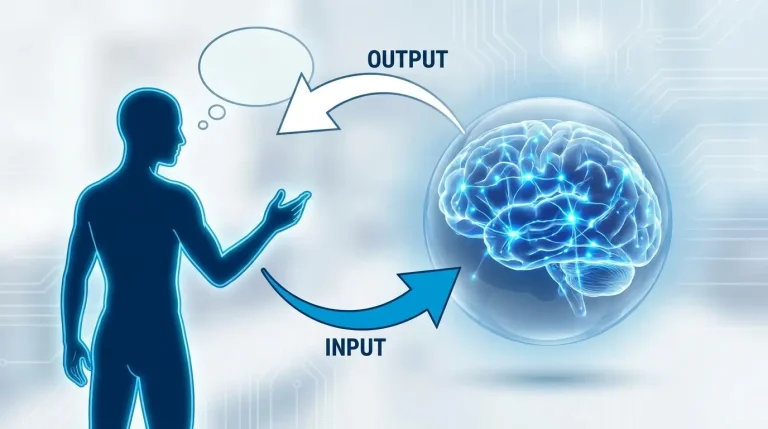

What Is an API? Simply Explained for Non-Programmers
You have probably heard the word “API” thrown around in tech conversations, news articles, or job descriptions—and nodded along without really knowing what it means. You are not alone. Understanding what an API is, explained for non-programmers, is actually much simpler than most tech articles make it sound. And once it clicks, you will start seeing APIs everywhere—in the apps you use every day, the websites you browse, and the digital tools that quietly power modern life.
This guide explains APIs in plain English, using real-world analogies and everyday examples. No coding background needed. By the end, you will have a clear, confident understanding of what an API is, how it works, and why it matters—even if you never plan to write a single line of code.
What Is an API? The Simple Answer
API stands for Application Programming Interface. In plain English, an API is a messenger that allows two different software applications to talk to each other, share information, and work together—without either application needing to know how the other one is built on the inside. Think of it as a universal translator between apps.
API (noun): A set of rules and tools that lets one piece of software communicate with another. APIs define what requests can be made, how to make them, and what kind of responses to expect.
The Best Analogy to Understand What an API Is
The most widely used analogy for understanding APIs—and the reason it is so popular is that it is genuinely accurate—is a restaurant.
🍽️ Analogy
You Are the Customer. The kitchen is the app. The waiter is the API.
Imagine you are sitting in a restaurant. You want food, but you cannot walk into the kitchen and cook it yourself—you do not know where anything is, and the kitchen staff would not allow it anyway.
So instead, you tell the waiter what you want. The waiter takes your order to the kitchen, the kitchen prepares it, and the waiter brings it back to your table.
In this analogy:
• You = the app or user making a request
• The kitchen = the server or database that has the data or capability
• The waiter = the API — the go-between that carries requests and returns responses
• The menu = the API documentation—it tells you what you can order and how to ask for it
The kitchen does not need to know who you are. You do not need to know how the kitchen works. The waiter handles the entire communication—that is exactly what an API does.

How an API Actually Works — Step by Step
Here is what happens behind the scenes every time an API is used, broken down into plain English steps:
Your App
Makes a request
→
API
Sends the request
→
Other Server
Processes it
→
API
Returns response
→
Your App
Shows the result
A Real Example: Checking the Weather on Your Phone
- You open a weather app, and it needs today’s forecast for your city.
- The weather app does not have its own weather data—it sends a request via API to a weather data server (like the National Weather Service or OpenWeatherMap).
- The weather server receives the request, looks up the data for your city, and sends back a response—temperature, humidity, forecast, etc.
- The weather app receives that response and displays it on your screen in a friendly format.
The entire exchange happens in milliseconds. You see the weather. You never see the API. But without it, the app could not function.
Real-World API Examples You Use Every Day Without Knowing It
🌤️
Weather Apps
Your phone’s weather app does not generate its own forecasts. It uses an API to pull live data from weather services and display it in a clean interface.
API used: OpenWeatherMap, AccuWeather API
🔐
“Log In with Google”
When you click “Sign in with Google” on a third-party website, that site uses Google’s API to verify your identity — without ever seeing your actual Google password.
API used: Google OAuth API
🗺️
Maps Embedded in Apps
Ride-sharing apps, delivery apps, and restaurant finders all display Google Maps or Apple Maps inside their own app using an API. They do not build their own maps — they borrow Google’s via API.
API used: Google Maps API
💳
Online Payments
When you pay on a website, your card details go through a payment API (Stripe, PayPal, etc.) that handles the transaction securely. The website never touches your card data directly.
API used: Stripe API, PayPal API
✈️
Flight Booking Sites
When you search for flights on Expedia or Kayak, they use APIs to query dozens of airlines’ databases simultaneously and display combined results — all in real time.
API used: Airline GDS APIs (Sabre, Amadeus)
🤖
AI Chatbots in Apps
When a customer service chatbot gives you a smart, human-like response, it is almost certainly calling an AI API (like the Anthropic Claude API or OpenAI API) and returning the result inside the company’s own interface.
API used: Claude API, OpenAI API
📱
Social Media Sharing Buttons
The “Share on Twitter” or “Post to Facebook” button on any website uses those platforms’ APIs to post content to your account on your behalf — without redirecting you away from the page.
API used: Twitter/X API, Facebook Graph API
🎵
Music in Other Apps
Fitness apps that sync with Spotify, games with background music controls, and smart speakers that play your playlists all use Spotify’s API to access your music library and control playback.
API used: Spotify API
Types of APIs — Explained Simply
Not all APIs are the same. Here are the main types you might hear about, explained without jargon:
Open/Public APIs
Available to anyone — developers can sign up and start using them, often for free up to a certain usage limit. Examples include the Google Maps API, the OpenWeatherMap API, and the Twitter/X API. These power millions of third-party apps and websites.
Private / Internal APIs
Used within a single company to allow their own internal systems to talk to each other. You will never directly interact with these, but they are what lets a company’s mobile app, website, and back-end database all stay in sync.
Partner APIs
Shared between specific business partners—not public, not fully private. For example, a bank might give a financial management app controlled access to certain account data via a partner API, with strict rules about what can and cannot be accessed.
REST APIs (the most common type)
REST (Representational State Transfer) is the most widely used style of API on the internet today. When people just say “API” in a modern context, they usually mean a REST API. It uses standard web technology (HTTP requests) to communicate, which is why it works seamlessly across devices, platforms, and programming languages.

API vs. No API—What the Difference Looks Like
| Scenario | Without API | With API |
|---|---|---|
| Weather app | The app would need to build its own global weather data infrastructure—practically impossible | The app queries a weather API and gets live forecasts in milliseconds |
| Login system | Every website would need to build and secure its own username/password system from scratch | Use Google’s or Facebook’s authentication API—secure, instant, and trusted |
| Online payment | The website would need to handle sensitive card data directly—extremely risky and heavily regulated | Stripe or PayPal API handles all the security and compliance automatically |
| Maps in a delivery app | The app would need to build its own mapping system with satellite imagery, routing, and traffic data | Google Maps API provides all of this in a few lines of code |
| AI-powered customer service | The company would need to train and host its own large language model—costing millions | Call the Claude or OpenAI API and get state-of-the-art AI responses instantly |
Why APIs Matter Even If You Never Write Code
You might be thinking, “This is interesting, but why does it matter to me personally?” The honest answer is that APIs affect your daily digital life in ways that are more significant than most people realize.
As a Business Owner or Entrepreneur
Understanding APIs means understanding what is possible when building a product or service. You do not need to code—but knowing that you can add payment processing via Stripe, send automated emails via Mailchimp’s API, or add AI chat support via the Claude API helps you have smarter conversations with developers, make better product decisions, and evaluate tools more accurately.
As a Marketer or Content Creator
Marketing automation tools, social media schedulers, analytics dashboards, and email platforms all work by connecting APIs together. Understanding this helps you understand why integrations exist, what is technically possible, and how to evaluate the tools you use.
As a Consumer
Knowing that the “Login with Google” button uses an API — and what that means for your data — makes you a more informed digital citizen. APIs are the pipes through which your personal data flows between the apps you use. Understanding them helps you make smarter decisions about which apps you authorize and what access you grant.
If you want to go even further and start using AI APIs to automate your own workflows without coding, our guide on how to automate daily tasks with free tools covers practical no-code approaches that rely on APIs working behind the scenes. And our beginner’s guide to prompt engineering explains how to get the most out of AI tools — many of which are API-powered.
What Is API Documentation and Why Does It Exist?
Going back to the restaurant analogy—if the API is the waiter, then API documentation is the menu. It tells you:
- What you can request (what “dishes” are available)
- How to ask for it correctly (the exact format of your “order”)
- What you will get back in return (what the “meal” looks like)
- Any rules or limits (minimum order, items not available on certain days)
Good API documentation is written for developers, but many companies also publish user-friendly versions. Anthropic, for example, publishes detailed documentation for the Claude API at docs.anthropic.com—showing exactly what the API can do, what inputs it accepts, and what responses it returns.
API Security — What Non-Programmers Should Know
APIs are powerful, which means they can also be misused. Here is what matters from a non-technical perspective:
API Keys
Most APIs require an API key — a unique code that identifies who is making a request. Think of it like a hotel room key card: it grants access to specific resources and can be revoked if misused. When you authorise a third-party app to access your Google Drive or Twitter account, that app is using an API key tied to your permissions.
Why You Should Care About App Permissions
When an app asks for permission to “post on your behalf” or “access your contacts,” it is asking for API access to those features of another platform. Only grant permissions that make sense for what the app actually needs to do. Unnecessary API access is a common privacy and security risk.
Good habit: Periodically review which apps have API access to your Google, Facebook, or Apple account. Go to your Google account settings → Security → Third-party apps with account access, and revoke anything you no longer use or do not recognise.
This connects directly to data security — if you want to understand how your data flows between apps and what happens when it is exposed, our guide on how to know if your data has been leaked covers the practical steps to check and protect yourself.
Common Misconceptions About APIs
- “APIs are only for programmers.” Not true. Product managers, marketers, entrepreneurs, designers, and business owners all benefit from understanding what APIs are and what they make possible — even without touching a line of code.
- “APIs are dangerous.” APIs themselves are neutral tools—like roads. They can be used safely or unsafely depending on implementation. Well-designed APIs include authentication, rate limiting, and encryption to prevent misuse.
- “If two apps are connected, they share all your data.” API access is scoped—an app can only access the specific data it has been explicitly authorized to access. A Spotify integration in your fitness app can see your playlists but cannot read your emails.
- “APIs are new technology.” The concept of APIs has existed since the early days of computing. What is relatively new is the explosion of web-based REST APIs that allow internet services to talk to each other at massive scale.
- “You need to pay for APIs.” Many popular APIs have free tiers that cover substantial usage—Google Maps, Twitter, OpenWeatherMap, and many others offer free access up to certain limits.
Frequently Asked Questions: What Is an API Explained for Non-Programmers
What does API stand for in simple terms?
API stands for Application Programming Interface. In plain English, it is a way for two different software programs to communicate with each other. It defines the rules for how requests should be made and how responses should be returned — like a contract between two applications that ensures they can work together reliably.
What is the difference between an app and an API?
An app is what you see and interact with—the interface on your screen. An API is what runs behind the scenes, allowing that app to fetch data, communicate with other services, and perform actions. Most apps you use rely on multiple APIs to function. The app is the front of house; the API is the back of house.
Can non-programmers use APIs?
Yes — and increasingly so. Tools like Zapier, Make, and n8n allow non-programmers to connect APIs visually without writing code. These no-code automation tools are essentially user-friendly interfaces that call APIs on your behalf, making their power accessible to anyone. Our guide on automating daily tasks covers how to use these tools practically.
Is an API the same as a website?
No, though they both use the internet. A website is designed to be read and interacted with by humans — it has visual design, navigation, and readable content. An API is designed to be read and used by other software—it returns structured data (usually in a format called JSON) that another program can process and display however it chooses.
Why do companies build APIs and make them public?
Companies publish public APIs for several strategic reasons: to grow their platform by letting other developers build on top of it, to increase their data’s reach and influence, to generate revenue by charging for API access above certain usage limits, and to create an ecosystem of third-party tools that make their core product more valuable. Google Maps’ dominance as the default map layer in thousands of apps is a direct result of making its API widely available.
Image Prompts for This Blog Post
Featured image prompt
A clean minimal digital illustration of two smartphones connected by a glowing bridge made of data lines and geometric shapes, one phone sending a request bubble, the other returning a response bubble, deep navy blue background, teal and white glowing elements, modern flat design style with subtle 3D depth, ultra-detailed, 4K, no text, no watermark, no logos
In-article image — restaurant analogy section
A warm cinematic scene inside a modern restaurant, a professional waiter in a white uniform carrying a tray between a customer at a table and a glowing kitchen window, soft golden ambient lighting, editorial lifestyle photography style, warm amber and cream tones, shallow depth of field, ultra-realistic, 4K, no text, no watermark
In-article image—real-world examples section
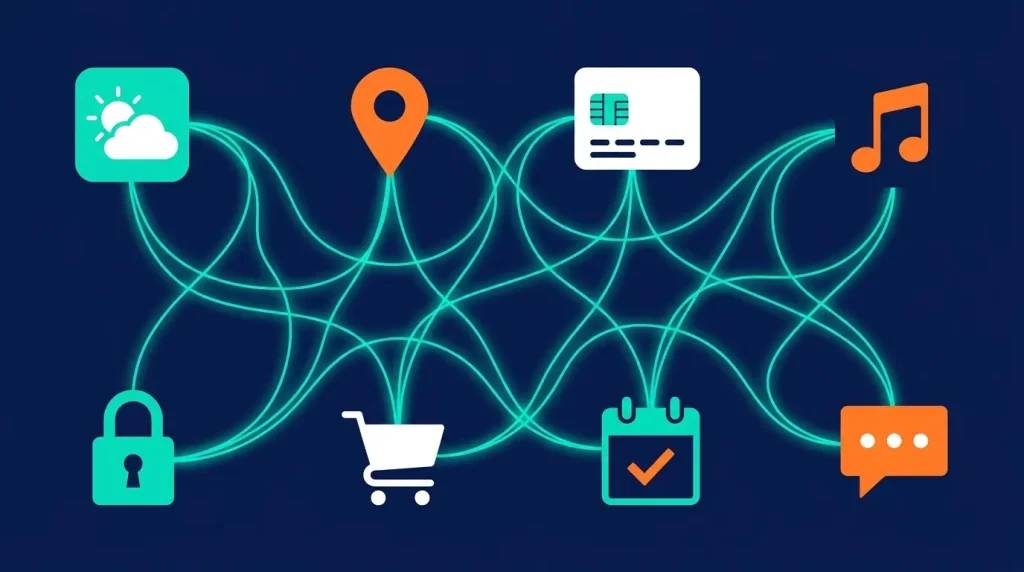
A flat vector illustration showing multiple connected app icons floating in a web of glowing lines on a dark navy background, including a weather icon, map pin, payment card, music note, and lock icon, all linked together by bright teal connecting threads; clean geometric minimal digital art; no real brand logos, no text, no watermark
Final Verdict: APIs Are the Invisible Engine of the Modern Internet
Now you know what an API is — and more importantly, you understand why it matters. APIs are not some obscure programming concept reserved for software engineers. They are the invisible plumbing of every digital experience you have every day: the weather on your phone, the map in your ride-sharing app, the payment button on your favourite shopping site, and the AI chatbot that answers your customer service questions.
Understanding what an API is, explained for non-programmers, gives you a genuine advantage—whether you are building a product, evaluating a tool, making a business decision, or simply trying to understand the technology that shapes your daily life. You do not need to build APIs to benefit from understanding them. You just need to know they exist, what they do, and how they connect the digital world together.
The internet, at its core, is a network of APIs talking to each other. Now you speak the language.
For more beginner-friendly technology guides, explore the full library at ApkBallo.com—where speed meets technology. If you found this guide useful, you will also enjoy our guide on TikTok viral video tips — which covers how creators use API-powered tools to grow their channels faster.
Ready to Go Deeper Into Tech?
Explore our full range of beginner-friendly technology guides at apkballo.com. From AI tools and automation to cybersecurity and app reviews—everything is explained in plain English, no jargon required.
For a more technical deep dive into how APIs are built and documented, Mozilla’s official Web APIs introduction is one of the most comprehensive and freely available resources for those ready to go further.
Disclaimer: This article is for educational and informational purposes only. Technology concepts, API capabilities, and platform availability may evolve over time. Always refer to official documentation for the most current technical information about specific APIs and services.