
Beginner’s Guide to Prompt Engineering
You type a question into an AI tool. The answer comes back vague, off-topic, or just plain wrong. Sound familiar? The good news is the problem almost never lies with the AI—it lies with the prompt. Prompt engineering for beginners is the skill of learning how to talk to AI models so they actually understand you and give you what you need. And unlike most tech skills, you can get genuinely good at it in a single afternoon.
This guide walks you through everything from scratch: what prompt engineering is, why it matters, the core techniques every beginner should know, and real before-and-after examples that show the difference a well-crafted prompt makes. Whether you’re using ChatGPT, Claude, Gemini, or any other large language model, these principles apply universally.
What Is Prompt Engineering?
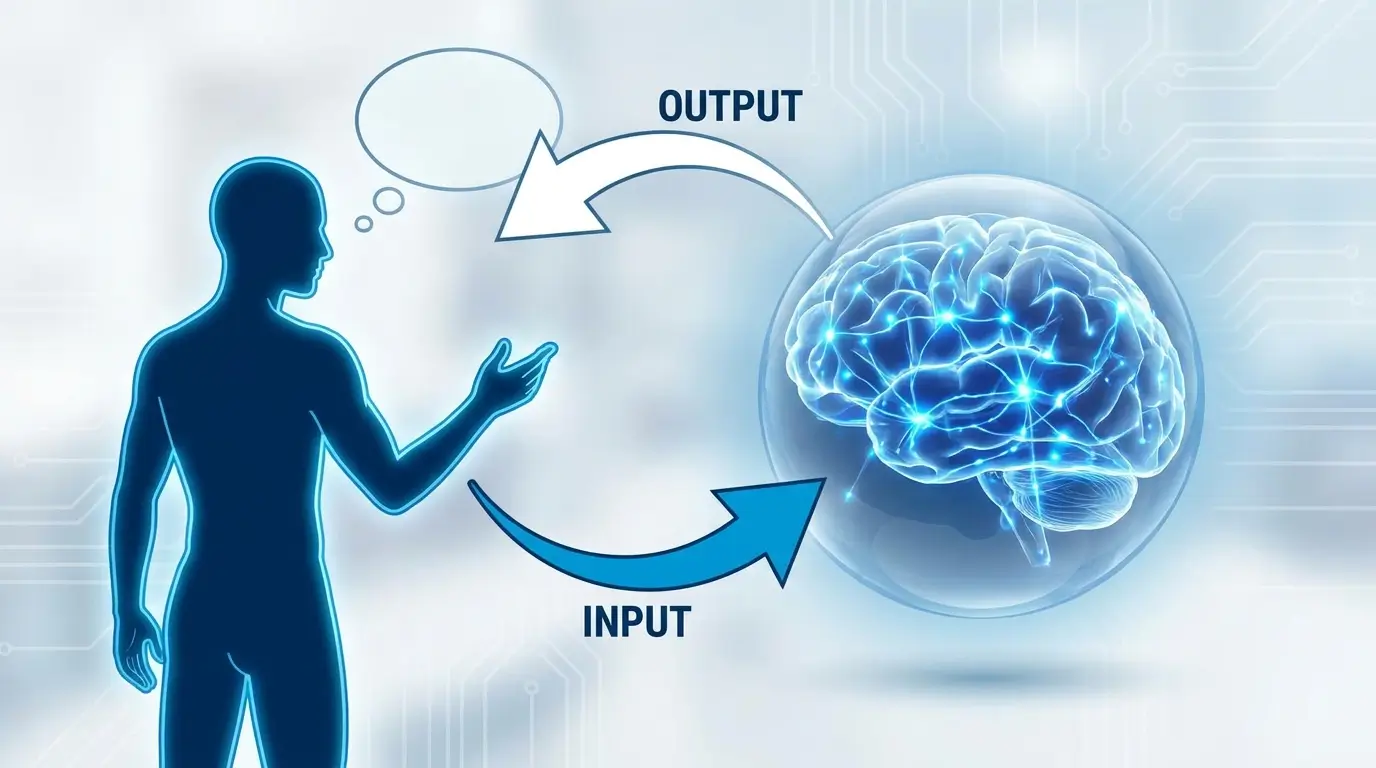
Prompt engineering is the practice of designing and refining the text you give to an AI model—called a “prompt”—in order to get more accurate, useful, and relevant responses. Think of it as learning the right way to ask a very knowledgeable (but extremely literal) assistant.
AI language models do not read your intentions. They read your words. When your words are ambiguous, they make assumptions. When your words are specific, precise, and structured, they perform dramatically better. Prompt engineering is simply the discipline of closing that gap.
The term became widely discussed after the release of large language models like GPT-3, GPT-4, and Claude. Today it is considered one of the most practical and in-demand skills in the AI space — and fortunately, the basics require zero coding knowledge.
What Does Prompt Engineering for Beginners Actually Mean?
In simple terms: Prompt engineering means writing clearer, more structured instructions for AI tools. Instead of asking, “Write something about marketing,” you say, “Write a 200-word Instagram caption for a coffee brand targeting 25–35 year old professionals, using a warm and conversational tone.” The second version gives the AI everything it needs to get the job right the first time.

Why Prompt Engineering Matters More Than You Think
Most people who feel frustrated with AI tools are not experiencing a failure of the technology — they are experiencing a failure of communication. The AI is only as good as the instructions it receives. Here is why getting those instructions right matters:
- Saves time: A precise prompt gets a usable answer on the first try. Vague prompts lead to three or four rounds of back-and-forth.
- Improves quality: The same AI model can produce mediocre or exceptional output depending entirely on how you prompt it.
- Unlocks hidden capability: Most users only scratch the surface of what AI tools can do. Good prompting accesses deeper functionality.
- Reduces errors: Structured prompts reduce the chance of hallucinations (when the AI makes things up) by grounding the model in specific facts and constraints.
- Career relevance: Prompt engineering skills are increasingly listed in job descriptions across marketing, content, coding, research, and product roles.
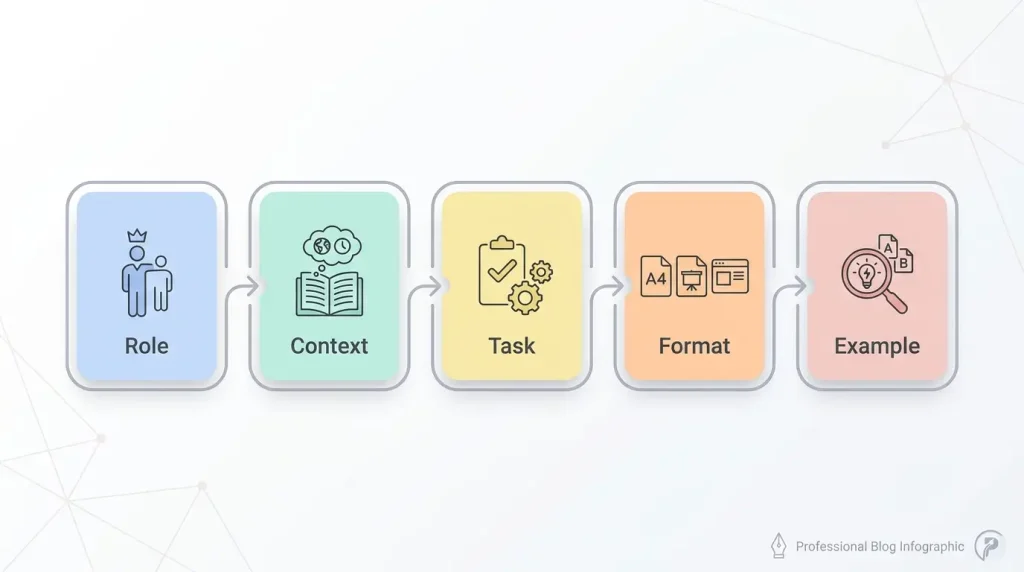
The Anatomy of a Great Prompt: 5 Building Blocks
You do not need all five components in every prompt. But understanding each one helps you diagnose why a response missed the mark and know exactly what to add next time.
1. Role
Tell the AI who it is. Assigning a role sets the tone, vocabulary, depth, and perspective of the response. A prompt that starts with “You are a senior financial advisor” will respond very differently from one with no framing at all.
2. Context
Give the AI the background it needs. Who is the audience? What is the situation? What has already been done? Without context, the model defaults to generic. With context, it gets specific and useful.
3. Task
State clearly what you want. Use action verbs: write, summarize, compare, list, explain, rewrite, translate. The more unambiguous your task, the less guessing the model does.
4. Format
Tell the AI what the output should look like. A bullet list? A table? A three-paragraph essay? JSON? Specifying the format removes one more source of unpredictability from the response.
5. Example (optional but powerful)
Show the AI a sample of what “good” looks like for your use case. Even a single example can dramatically shift the style, length, and structure of the output.
Full example combining all five:
“You are a senior UX writer [Role]. I’m building an onboarding flow for a project management app aimed at non-technical team leads [Context]. Write three short microcopy labels for empty-state screens — the screens that show when a user has no tasks yet [Task]. Each label should be under 15 words, warm in tone, and end with a clear next action [Format]. Here’s a style example: ‘No tasks yet — let’s add your first one and get the ball rolling’ [Example].”

Weak vs. Strong Prompts: Side-by-Side Comparison
| Use Case | Weak Prompt | Strong Prompt | What Changed |
|---|---|---|---|
| Blog writing | “Write a blog post about AI.” | “Write a 600-word beginner-friendly blog post explaining what large language models are, using the analogy of a very well-read librarian. End with 3 practical takeaways.” | Added length, audience, analogy, and structure |
| Email drafting | “Write an email asking for a raise.” | “Write a professional email to my manager requesting a salary review. I have been in the role for 18 months, recently led a product launch, and the market rate for my position is 15% higher than my current salary. Keep it confident but not aggressive. Under 200 words.” | Added context, evidence, tone, and length |
| Code help | “Fix my code.” | “This Python 3.11 function should return the most common word in a string, but it throws a TypeError on empty input. Here is the code: [paste]. Fix the bug, explain what caused it, and add a docstring.” | Added language, version, bug description, and deliverables |
| Research | “Tell me about solar panels.” | “Summarise the top 3 factors that affect the efficiency of residential solar panels in cloudy climates. Present as a numbered list. Include one real-world example for each factor. Keep it under 300 words.” | Added scope, structure, examples, and word count |
| Summarisation | “Summarise this article.” | “Summarise the following article in 5 bullet points. Focus on the key findings, not the methodology. Audience: busy executives who need to make a decision by end of day. [article text]” | Added format, focus, and audience framing |
Core Prompt Engineering Techniques Every Beginner Should Know
Technique 01
Zero-Shot Prompting
Ask the AI to complete a task with no examples. Works well for simple, well-defined tasks. Best starting point for most requests. Example: “Translate this paragraph into French.”
Technique 02
Few-Shot Prompting
Provide 2–5 examples of the input-output pattern you want. The AI matches the demonstrated style. Extremely powerful for formatting, tone, and classification tasks.
Technique 03
Chain-of-Thought
Add “think step by step” or “explain your reasoning before giving the answer.” This forces the model to work through logic sequentially, dramatically improving accuracy on complex problems.
Technique 04
Role Prompting
“You are a [expert role]…” primes the model to respond with the vocabulary, depth, and assumptions of that expert. Works especially well for specialised knowledge domains.
Technique 05
Negative Prompting
Tell the AI what to avoid. “Do not use jargon,” “avoid bullet points,” “do not recommend paid software.” Exclusion constraints are as powerful as inclusion ones.
Technique 06
Iterative Refinement
Treat the first response as a draft. Follow up: “Make it shorter,” “shift the tone to more formal,” “add a statistic to the second paragraph.” Most expert users iterate 2–4 times.
Prompt Engineering for Beginners: Real Prompt Examples by Use Case
Content Writing
Strong prompt example
You are a content strategist writing for a SaaS blog. Write a 400-word introduction for an article titled “Why Small Businesses Are Switching to AI Accounting Tools.” Target audience: small business owners with no accounting background. Tone: practical, reassuring, not overly technical. Include one short statistic in the first paragraph.
Customer Support Automation
Strong prompt example
You are a friendly customer support agent for an e-commerce brand. A customer has messaged, “My order arrived damaged, and I’m really frustrated.” Write a response that acknowledges their frustration, apologizes sincerely, offers a replacement or refund, and provides the next step clearly. Keep it under 120 words. Do not use corporate-sounding language.
Learning and Studying
Strong prompt example
Explain the concept of compound interest to a 16-year-old who has never studied finance. Use an analogy involving something familiar (like a snowball rolling downhill). After the explanation, give three real-world examples of compound interest working for and against a typical person. Keep the total response under 350 words.
Data and Research
Strong prompt example
I will paste a 500-word market research excerpt below. Extract the following: 1) the three main consumer pain points identified, 2) any demographic data mentioned, 3) The key competitor mentioned and what advantage they have. Format as a structured list. Do not add information not present in the text. [Paste your text here]
Common Prompt Engineering Mistakes Beginners Make
- Being too vague: “Write something good” gives the model no direction. Specificity is everything.
- Asking multiple unrelated things at once: Combine only related tasks. Separate unrelated requests into separate prompts for cleaner results.
- Not specifying the audience: “Write an article about sleep” produces generic output. “Write for a new parent who is sleep-deprived and looking for quick wins” produces something genuinely useful.
- Forgetting to specify length: Without a word count or scope constraint, AI models tend to over-explain simple things and under-explain complex ones.
- Not using examples when the style matters: If you have a specific voice or format in mind, show it. Describing it in words is always less effective than demonstrating it.
- Giving up after one try: The single most common beginner mistake. Treat every first response as a starting point, not a final answer. Follow up and refine.
- Assuming the AI remembers context: In most tools, each new conversation starts fresh. Re-introduce key context at the start of any new session.
Is Prompt Engineering Worth Learning in 2026?
Short answer: yes—and likely more so than most people realize. Here is the practical case:
- AI tools are now embedded in writing, coding, customer support, design, research, marketing, legal drafting, and dozens of other fields.
- The quality gap between a prompted and an unprompted user of the same tool is enormous—often the difference between a tool that feels magic and one that feels useless.
- Prompt engineering requires no coding, no special hardware, and no paid courses. Everything in this guide can be practiced for free using publicly available AI tools.
- According to job market trends tracked by AI platforms, roles that list “prompt engineering” or “AI prompting” as a skill are growing rapidly across content, product, and operations teams.
The skill is also uniquely transferable. The principles of clarity, specificity, and structured communication that make a great prompt also make a great brief, a great email, and a great job application. Learning to prompt well, in many ways, is learning to communicate well.
If you’re already using AI tools to automate content or business processes, our guide on how to make money with AI automation explores how prompt skills connect directly to income-generating workflows. For social media specifically, the TikTok viral video tips guide on ApkBallo covers how AI-assisted scripting is changing content creation.
Tips to Improve Your Prompt Engineering Skills Faster
- Keep a prompt journal. Save prompts that worked well. Review and adapt them. Patterns emerge quickly once you start collecting them.
- Compare outputs. Run the same task with two different prompts and analyze what changed. This is the fastest way to develop prompt intuition.
- Read prompts shared by others. Communities on Reddit (r/ChatGPT, r/ClaudeAI), GitHub prompt repositories, and X/Twitter are full of annotated, real-world prompt examples.
- Learn from denials and bad outputs. When the AI gives you something wrong, ask yourself what assumption it made that you didn’t correct. That gap is your next constraint to add.
- Use the AI to improve your prompts. Literally ask, “Here is my prompt. What is unclear? What should I add to get a better result?” The feedback is often directly actionable.
- Explore Anthropic’s official prompt engineering documentation for Claude-specific guidance — one of the most thorough and practical free resources available.
Frequently Asked Questions: Prompt Engineering for Beginners
Do I need coding skills to learn prompt engineering?
No. Prompt engineering at the beginner and intermediate level is entirely about writing and communication. Advanced prompt engineering for developers (like building automated pipelines with APIs) does involve code, but the core skill of writing effective prompts is accessible to anyone who can write clearly.
Does prompt engineering work differently on different AI tools?
The core principles—specificity, role, context, format, and examples—apply across all major AI models, including ChatGPT, Claude, Gemini, Llama, and Mistral. Individual models do have different strengths and tendencies, so a prompt may need minor tuning when switching between tools, but the fundamentals transfer almost entirely.
How long does it take to get good at prompt engineering?
Most beginners notice a meaningful improvement in their AI results within a few hours of deliberate practice. Becoming genuinely skilled — able to reliably get excellent outputs across diverse use cases — typically takes a few weeks of regular use and intentional experimentation.
Can prompt engineering reduce AI hallucinations?
Yes, significantly. Grounding your prompt in specific facts, asking the AI to cite or acknowledge uncertainty, and instructing it to say “I don’t know” rather than guess all reduce the frequency of hallucinations. Structured, constrained prompts give the model less room to invent details.
Is there a difference between a system prompt and a user prompt?
Yes. A system prompt is a set of instructions given to the AI before the conversation begins—typically used by developers to define the AI’s behavior, persona, and constraints. A user prompt is what you type in the chat. For most everyday users, user prompts are all that matter. System prompts become relevant when building products or automated workflows on top of AI APIs.
Final Verdict: Prompt Engineering for Beginners Is the Most Underrated AI Skill
You do not need to understand how neural networks work to get dramatically better results from AI. You just need to communicate more clearly than the average user. Prompt engineering for beginners is ultimately about developing that habit of precision: who is the audience, what exactly is the task, what should the output look like, and what should it avoid.
Start with the five building blocks—role, context, task, format, and example. Apply them to something real you are already doing. Compare the output to what you got before. Then iterate. Within a week, the difference in what you can extract from any AI tool will be significant enough that you will never go back to one-line prompts again.
The best prompt engineers are not the ones who know the most theory—they are the ones who practice the most deliberately. Pick one task you already use AI for, apply the principles in this guide today, and you will have already started.
Ready to Go Deeper?
Explore more AI, automation, and technology guides at ApkBallo.com — your go-to resource where speed meets technology. Whether you’re building AI workflows, automating content, or leveling up your digital skills, there’s a guide waiting for you.
Disclaimer: This article is for educational and informational purposes only. AI model behavior and platform features may change over time. Always verify critical outputs from AI tools independently, especially for professional, legal, medical, or financial use cases.