
How to Know If Your Data Has Been Leaked: Full Guide
You get a strange email asking you to confirm a purchase you never made. Your social media account sends messages you did not write. Your bank calls about a transaction you do not recognize. These are not coincidences — they are warning signs. Knowing how to know if your data has been leaked could be the difference between catching a problem early and dealing with the aftermath of full identity theft months down the line.
Data breaches happen at an alarming scale. Companies you trusted with your email, password, or credit card details get hacked — and your information ends up for sale on the dark web, often without any immediate notification to you. This guide gives you the tools, warning signs, and step-by-step actions to check, confirm, and respond if your personal data has been exposed.
How to Know If Your Data Has Been Leaked — Quick Answer
The fastest way: Go to HaveIBeenPwned.com and enter your email address. This free tool checks your email against a database of billions of breached records and tells you instantly if your data was exposed in any known breach—including which company was hacked and what data was taken.
What Is a Data Leak and Why Does It Happen?
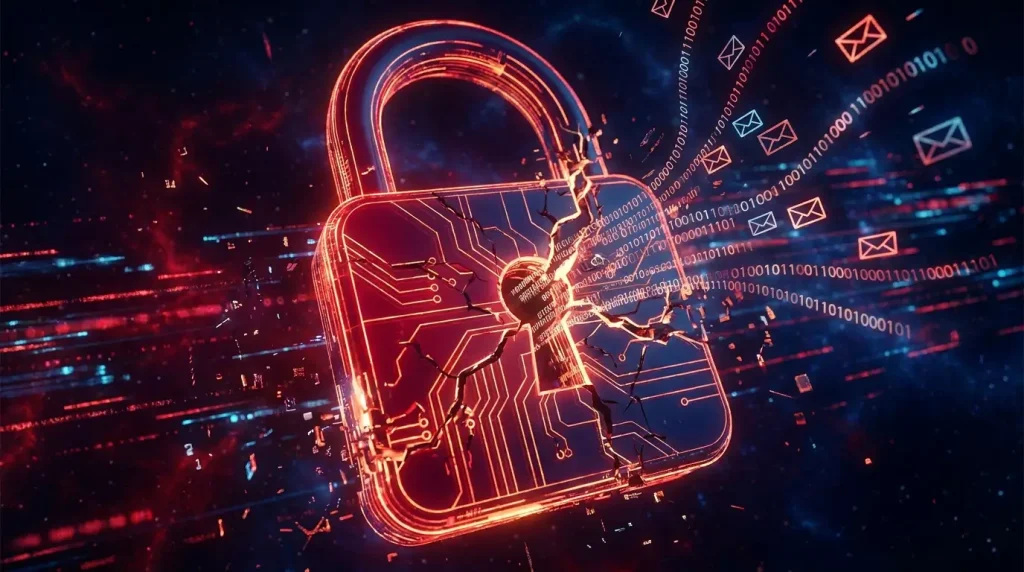
A data leak (also called a data breach) occurs when sensitive personal information is accessed, stolen, or exposed without the owner’s consent. This typically happens when a company’s database is hacked, an employee makes a security error, or a system is misconfigured and accidentally makes private data publicly accessible.
The information exposed in data breaches commonly includes:
- Email addresses and passwords
- Full names and home addresses
- Phone numbers
- Credit card and bank account details
- Social Security numbers or national ID numbers
- Date of birth and security question answers
- IP addresses and device identifiers
- Private messages and photos (in social platform breaches)
Once leaked, this data is often sold in bulk on dark web marketplaces, used for phishing attacks, or fed into automated credential-stuffing tools that try your stolen username and password on hundreds of other websites.
⚠️ Important
Most people do not find out their data was leaked for months — sometimes years — after the breach occurred. Companies are not always required to notify users immediately, and some breaches are only discovered when the data appears for sale online.
Warning Signs That Your Data May Have Been Leaked
Before you run a formal check, these real-world red flags often appear first. If you notice any of these, treat them as a serious signal that your data may have been compromised.
🔐 You received a password reset email you did not request
Someone who has your email and password is attempting to take over your account. Act immediately — do not ignore this.
💳 Unfamiliar charges on your bank or credit card statement
Small test charges (often under $1) followed by larger ones are a classic sign that your card details have been sold and tested by fraudsters.
📧 Sudden spike in spam or phishing emails
If your inbox suddenly fills with targeted scam emails that use your real name, it suggests your email and personal details are being circulated in breach data.
📱 Unusual login notifications from unfamiliar locations
Login alerts from cities or countries you have never visited indicate someone else is using your credentials — likely obtained from a data breach.
🔔 Friends receive messages from you that you did not send
A compromised email or social media account being used to send scam links to your contacts is a clear sign of a breach or hack.
🏦 Loan applications or credit checks you did not initiate
Finding unfamiliar hard inquiries on your credit report means someone may have used your personal data to apply for credit in your name — one of the most serious forms of identity theft.
📬 Mail for accounts or services you never signed up for
Receiving physical mail for credit cards, subscriptions, or government correspondence addressed to you but for accounts you never opened is a strong identity theft warning sign.
How to Check If Your Data Has Been Leaked: Best Free Tools
Free
HaveIBeenPwned.com
The most trusted and widely used data breach checker in the world. Enter your email address to instantly see every known breach your account appeared in, what data was exposed, and when the breach occurred. Created by security researcher Troy Hunt and partnered with governments worldwide.
Free
Google’s Password Checkup
Built into Google Chrome and Google Password Manager. Automatically checks your saved passwords against known breach databases and alerts you if any of your credentials have been compromised. Go to passwords.google.com and run a Security Check up to see your status.
Free
Firefox Monitor
Mozilla’s free breach monitoring service, powered by HaveIBeenPwned data. Enter your email to check for breaches and sign up for automatic alerts whenever your email appears in a new breach. Clean interface and no account required for a basic check.
Freemium
Bitdefender Digital Identity Protection
A more comprehensive paid option that continuously monitors the dark web for your personal data, tracks your digital footprint across the internet, and alerts you to real-time breaches. Offers a free trial. Best for users who want ongoing automated monitoring beyond a one-time check.
Free (iOS)
Apple’s Safety Check (iPhone)
Built into iPhone settings under Privacy & Security → Safety Check. Also check Settings → Passwords for built-in breach alerts. Apple automatically flags any saved password that has appeared in a known data breach and prompts you to change it.
→ Settings → Privacy & Security → Safety Check
Freemium
NordVPN’s Dark Web Monitor
Included with NordVPN subscriptions. Continuously scans dark web forums and marketplaces for your email address and alerts you if your credentials appear for sale. Useful for users already subscribed to NordVPN who want combined privacy and breach monitoring.
→ Visit NordVPN Dark Web Monitor
Data Breach Checking Tools — Comparison Table
| Tool | Free? | Dark Web Scan | Ongoing Alerts | Phone Support | Best For |
|---|---|---|---|---|---|
| HaveIBeenPwned | ✅ Free | ❌ No | ✅ Email alerts | ❌ | Quick one-time email check |
| Google Password Check | ✅ Free | ❌ No | ✅ Auto in Chrome | ❌ | Chrome users with saved passwords |
| Firefox Monitor | ✅ Free | ❌ No | ✅ Email alerts | ❌ | Firefox users, easy interface |
| Apple Safety Check | ✅ Free | ❌ No | ✅ Auto on iPhone | ✅ iOS | iPhone users with saved passwords |
| Bitdefender DIP | ❌ Paid | ✅ Yes | ✅ Real-time | ✅ All | Comprehensive ongoing protection |
| NordVPN Dark Web Monitor | ❌ NordVPN sub | ✅ Yes | ✅ Real-time | ✅ All | Existing NordVPN subscribers |
Step-by-Step: What to Do If Your Data Has Been Leaked
1. Stay calm and confirm the breach
Run your email through haveibeenpwned.com to confirm whether your data was actually exposed. Note which breach it came from and what specific data was included — password, email only, full profile, or payment data. This determines how urgently you need to act.
2. Change your passwords immediately—starting with the most critical accounts
Change the password on the breached account first. Then change any other account where you used the same or similar password. Prioritise: banking, email, social media, and shopping accounts. Use a unique, strong password for every account going forward — a password manager makes this manageable.
3. Enable two-factor authentication (2FA) on every account
Even if a hacker has your password, 2FA prevents them from logging in without access to your phone. Enable it on your email account first — since most accounts can be taken over via email recovery. Use an authenticator app like Google Authenticator or Authy rather than SMS if possible, as SMS 2FA can be bypassed via SIM swapping.
4. Check your bank and credit card statements carefully
Look for any unfamiliar charges, however small. Fraudsters often test stolen cards with tiny transactions before making larger ones. Report any unauthorised charge to your bank immediately—most banks have zero-liability policies for fraud reported promptly.
5. Check your credit report for suspicious activity
In the US, you can get a free credit report from all three major bureaus (Equifax, Experian, and TransUnion) at AnnualCreditReport.com. Look for accounts you did not open, hard inquiries you did not authorize, or addresses you do not recognize. In the UK, use Experian, Equifax, or TransUnion directly.
6. Consider placing a credit freeze
A credit freeze (or credit lock) prevents new credit accounts from being opened in your name—even by you—until you unfreeze it. It is free in most countries and is one of the most powerful protections against identity theft after a serious breach involving your personal identification data.
7. Watch for phishing attempts in the weeks following
After a breach, cybercriminals often use the exposed data to craft highly targeted phishing emails that look legitimate. Be suspicious of any email asking you to click a link or confirm your details — even ones that seem to come from real companies. When in doubt, go directly to the website rather than clicking email links.
8. Set up ongoing breach monitoring
Register your email address with Have I Been Pwned’s free notification service. You will receive an automatic alert the moment your email appears in any new breach—giving you a head start before criminals can act on the data. This takes two minutes and costs nothing.
What Data Is Typically Exposed vs. What Is Usually Protected
⚠️ Data Commonly Found in Breaches
- Email addresses — found in virtually every major breach
- Hashed or plaintext passwords — extremely common
- Phone numbers — increasingly common in social platform breaches
- Names and dates of birth — standard in retail and healthcare breaches
- Physical addresses — common in e-commerce breaches
- Security questions and answers—particularly dangerous, as these unlock account recovery
- IP addresses and device data — common in app and service breaches
🔒 Data That Is Usually Encrypted or Protected
- Passwords stored with modern hashing algorithms (bcrypt, Argon2) — harder but not impossible to crack
- Payment card full numbers — reputable companies only store the last four digits
- Bank account details — heavily regulated and rarely stored in app databases
- Government ID numbers—in well-regulated industries, these are encrypted at rest
Caution: “Encrypted” does not mean “safe.” Weak encryption methods (like MD5 hashing) can be cracked relatively quickly using modern hardware. Always assume a breached password is compromised, regardless of whether the company claims it was “hashed.”
Common Mistakes People Make After a Data Breach
- Ignoring breach notifications. Many people dismiss breached emails as spam. If a legitimate company tells you your account was part of a breach, act immediately—it is not junk mail.
- Only changing the breached account’s password. If you reused that password elsewhere (most people do), every account using it is now at risk. Change all of them.
- Waiting to see if anything happens. By the time fraudulent activity appears on your bank statement, significant damage may already be done. Act proactively, not reactively.
- Not enabling 2FA after changing passwords. A new strong password is good. A new strong password plus 2FA is dramatically better. Do both together.
- Using the same new password again. After a breach many people change their password to something new — and then reuse it across multiple accounts. Use a unique password for every single account, managed by a password manager.
- Trusting every “breach alert” email. Ironically, cybercriminals send fake breach notification emails to trick people into clicking malicious links. Always verify breach news directly on the company’s official website or HaveIBeenPwned—never through a link in an email.
Is Paid Dark Web Monitoring Worth It?
For most everyday users, the combination of HaveIBeenPwned (free), Google Password Checkup (free), and a good password manager covers the essentials at zero cost. However, paid monitoring services offer meaningful advantages in specific situations:
- Worth paying for if you handle sensitive client data, run a business, have experienced identity theft before, or want proactive dark web scanning that goes beyond email checks.
- Stick with free tools if you are an individual user who practices good password hygiene, uses 2FA, and wants to reduce breach risk without a subscription cost.
If you are evaluating your broader digital security setup, our guide on how AI tools can improve your digital workflow covers how modern AI assistants can help you stay on top of your online security practices more efficiently.
And if you want to go further with automating your security checks and alerts, the guide on automating daily tasks with free tools shows how to set up automated breach notification workflows at no cost.
Tips to Protect Your Data and Prevent Future Exposure
- Use a unique password for every account. This is the single most impactful habit. When one account is breached, none of your others are automatically at risk. Use a password manager like Bitwarden (free), 1Password, or Dashlane to generate and store strong, unique passwords.
- Enable two-factor authentication everywhere possible. Start with email, banking, and social media—these are the highest-value targets. Authenticator apps are safer than SMS codes.
- Use a separate email for less trusted signups. Create a secondary email address for newsletters, trial signups, and low-stakes accounts. Keep your primary email—linked to banking and important services—as private as possible.
- Be selective about what data you share. Many services ask for more information than they need. Do not share your phone number, date of birth, or address unless it is genuinely required.
- Keep software and apps updated. Many breaches exploit known vulnerabilities in outdated software. Enabling automatic updates is one of the simplest security habits available.
- Use a VPN on public Wi-Fi. Public networks are a common vector for credential interception. A VPN encrypts your connection and prevents eavesdropping on unsecured networks.
- Regularly audit your accounts. Once every few months, review which apps and services have access to your Google or Facebook account. Revoke access to anything you no longer use.
Frequently Asked Questions: How to Know If Your Data Has Been Leaked
Is HaveIBeenPwned safe to use?
Yes. HaveIBeenPwned is run by Troy Hunt, one of the world’s most respected cybersecurity researchers, and is formally partnered with national cybersecurity agencies in the US, the UK, and Australia. Entering your email address into the site does not put your account at risk — it only checks your email against a database of already-known breached records.
What should I do if my password was leaked but I have already changed it?
If you have already changed the breached password to a strong, unique one, the leaked version is no longer useful to attackers for that specific account. However, you should still check whether you used the same password anywhere else, enable 2FA on the affected account, and monitor for any suspicious activity in the weeks following.
Can my data be leaked even if I never got a notification?
Yes — and this is very common. Companies are not always legally required to notify affected users immediately, and many breaches are only discovered months or years after they occur. Running a periodic check on HaveIBeenPwned every few months is the most reliable way to catch breaches you were never notified about.
How do hackers use leaked data?
Leaked data is typically used in several ways: credential stuffing (trying your email and password on other websites), phishing attacks (crafting personalised scam emails using your real details), identity theft (opening accounts or loans in your name), and selling bulk data sets to other criminal actors on dark web marketplaces.
Does changing my email address after a breach help?
Changing your email is rarely necessary and is usually more disruptive than helpful. Changing the password associated with the breached account, enabling 2FA, and monitoring for suspicious activity are more effective responses. Your old email address being in a breach database cannot be reversed — but its value to attackers is eliminated when you use strong, unique passwords and 2FA.
Final Verdict: Knowing If Your Data Has Been Leaked Is the First Step to Staying Safe
Data leaks are not rare events reserved for corporations and celebrities. They affect ordinary people every single day, and most victims never find out until the damage is done. Now that you know how to check if your data has been leaked, the most important thing you can do is act on that knowledge today — not after something goes wrong.
Run your email through HaveIBeenPwned right now. Enable 2FA on your email and banking accounts this week. Start using a password manager so every account has a unique password. These three steps, done today, eliminate the vast majority of risk that a data breach creates.
Digital security is not about being paranoid — it is about being prepared. The tools are free, the steps are simple, and the protection they provide is real. Your data is worth protecting.
For more practical technology and security guides, explore everything at ApkBallo.com—where speed meets technology.
Check Your Email Right Now — It Takes 10 Seconds
Visit HaveIBeenPwned.com, type your email address, and find out immediately if your data has been exposed. Free, instant, and no account required. Then come back here and follow the steps above if needed.
For the latest verified data breach news and cybersecurity updates, Troy Hunt’s official blog — the creator of HaveIBeenPwned — is one of the most authoritative and regularly updated resources available.
Disclaimer: This article is for informational and educational purposes only. It does not constitute professional cybersecurity or legal advice. Steps taken after a data breach may vary depending on your location, the nature of the breach, and applicable local regulations. Always consult a qualified professional for serious identity theft or financial fraud situations.