

How to Automate Daily Tasks with Free Tools
How to Automate Daily Tasks with Free Tools? Imagine waking up to find your emails already sorted, your social media posts already scheduled, your reports already generated, and your to-do list already updated — all without lifting a finger. That is not a dream anymore. Learning how to automate your daily tasks with free tools is one of the highest-leverage skills you can develop in 2026, and the best part is you do not need a single line of code to do it.
The average knowledge worker spends nearly 2.5 hours per day on repetitive, low-value tasks that could be fully or partially automated. Over a working year, that is more than 600 hours — roughly 25 full days — lost to work that a free tool could handle in seconds. This guide shows you exactly which tools to use, how to set them up, and which tasks to automate first for maximum impact.
Can You Really Automate Daily Tasks for Free?
Yes — absolutely. Tools like Zapier (free plan), Make (free plan), Google Workspace automation, Notion AI, and Claude AI allow individuals and small businesses to automate emails, social posts, data entry, file management, reminders, reports, and more — all without paying a monthly subscription. The free tiers of these tools are genuinely powerful for most everyday use cases.
What Daily Tasks Can You Automate with Free Tools?
Before jumping into tools, it helps to know which tasks are the best candidates for automation. The golden rule: if you do it the same way more than twice a week, it can probably be automated.
High-Impact Tasks to Automate
- Email sorting and filtering — automatically label, archive, or forward emails based on sender or keywords
- Social media scheduling — batch-write posts once a week and let a tool publish them at optimal times
- File organisation — auto-move downloaded files into the correct folders based on type or name
- Form responses to spreadsheets — automatically log form submissions into a Google Sheet or Notion database
- Daily reminders and check-ins — scheduled messages sent to yourself or your team via Slack or email
- Meeting notes and summaries — AI tools transcribe and summarise your calls automatically
- Invoice and report generation — pull data from one place and generate a formatted document automatically
- Social media monitoring — get notified whenever your brand, competitor, or keyword is mentioned online
- Lead capture and CRM updates — new contact form submissions automatically added to your CRM
- Content repurposing — automatically turn a blog post into tweet threads, summaries, or email newsletters

Best Free Tools to Automate Your Daily Tasks in 2026
Workflow automation
Zapier (Free Plan)
Connect 7,000+ apps and create automated workflows called “Zaps.” The free plan allows 5 single-step Zaps running 100 tasks per month — enough for most personal automation needs.
✅ Free — no credit card needed
Workflow automation
Make (formerly Integromat)
More powerful than Zapier for complex multi-step workflows. The free plan includes 1,000 operations per month with unlimited scenarios. Visual drag-and-drop interface makes it beginner-friendly.
✅ Free — 1,000 ops/month
AI assistant
Claude AI (Free)
Use Claude to draft emails, summarise documents, write scripts, generate reports, and automate content tasks. The free tier handles a large volume of daily writing and research automation.
✅ Free tier available at Claude.ai
Productivity
Notion (Free Plan)
Build automated databases, recurring task templates, and linked workflows. Notion’s free plan is fully functional for individuals. Combine with Zapier for powerful cross-app automation.
✅ Free for personal use
Google Workspace
Google Apps Script
A free built-in scripting tool inside Google Sheets, Docs, and Gmail. Automate spreadsheet updates, send scheduled emails, process form responses, and more — all within Google’s free ecosystem.
✅ 100% free with any Google account
Social media
Buffer (Free Plan)
Schedule up to 10 posts per channel across 3 social media profiles for free. Write your week’s content in one sitting and Buffer publishes at the times you choose — automatically.
✅ Free — 3 channels, 10 posts each
Gmail Filters + Labels
Built into every Gmail account — create rules to automatically sort, label, archive, or forward incoming emails. Set up once in under 10 minutes and your inbox runs itself.
✅ 100% free — already in your Gmail
File management
n8n (Self-Hosted Free)
The most powerful free automation tool available — open source, self-hosted, and with no task limits. Steeper learning curve than Zapier but unlimited potential for power users.
✅ Free (self-hosted) / Paid cloud version
Free Automation Tools Comparison Table
| Tool | Best For | Free Limit | No-Code? | App Integrations | Difficulty |
|---|---|---|---|---|---|
| Zapier | App-to-app automation | 5 Zaps, 100 tasks/mo | ✅ Yes | 7,000+ apps | Easy |
| Make | Complex workflows | 1,000 ops/mo | ✅ Yes | 1,500+ apps | Medium |
| Google Apps Script | Google Workspace tasks | Unlimited (Google quota) | ❌ Code required | Google apps only | Medium-Hard |
| Claude AI | AI writing & content | Free tier (usage limits) | ✅ Yes | Via API | Easy |
| Buffer | Social media scheduling | 3 channels, 10 posts each | ✅ Yes | Major social platforms | Easy |
| Notion | Task & project automation | Unlimited pages (personal) | ✅ Yes | Via Zapier/Make | Easy-Medium |
| n8n | Advanced custom workflows | Unlimited (self-hosted) | ⚠️ Mostly | 400+ nodes | Hard |
| Gmail Filters | Email management | Unlimited | ✅ Yes | Gmail only | Easy |
How to Automate Your Daily Tasks: Step-by-Step for Beginners
1
Audit your week — find the repetitive tasks
Spend one day tracking every task you do more than once. List them in a simple Google Sheet: task name, how often you do it, how long it takes. You will quickly spot patterns. Focus on the top 3 time-consumers first.
2
Pick one task and one tool
Do not try to automate everything at once. Pick your single most time-consuming repetitive task and match it to the right free tool from the list above. Starting small ensures you actually follow through.
3
Create a free account and explore templates
Both Zapier and Make offer hundreds of pre-built templates for common automations — social post scheduling, email sorting, form-to-spreadsheet, and more. Start with a template rather than building from scratch. Most can be activated in under 10 minutes.
4
Define your trigger and action
Every automation has two parts: a trigger (what starts it) and an action (what happens as a result). Example: Trigger = “New email from [client name]” → Action = “Create a task in Notion.” Map this out in plain English before building it in the tool.
5
Test with real data
Always run a test before activating your automation. Send a test email, submit a test form, or manually trigger the workflow. Check the output matches what you expected. Fix any errors before going live.
6
Activate, monitor for one week, then expand
Let the automation run for a week. Check it daily at first to make sure it is working correctly. Once it is reliable, go back to your task audit and pick the next thing to automate. Build gradually — a system of 10 small automations is more powerful than one complex one.
What Works Well vs. What Does Not Work Well for Free Automation
✅ Tasks That Automate Brilliantly with Free Tools
- Email filtering, labelling, and auto-responses
- Social media post scheduling and cross-posting
- Google Form submissions → Google Sheets logging
- New file in Google Drive → notification via email or Slack
- Recurring task creation on a set schedule
- RSS feed → email digest of your favourite blogs
- New lead form → CRM row creation
- AI-powered content drafting and summarisation via Claude
- Calendar event → automatic reminder message
- Spreadsheet data → automated weekly report email
⚠️ Tasks That Are Harder to Automate for Free
- Tasks requiring human judgment or nuanced decision-making
- Automations needing more than 5 steps (Zapier free plan limits these)
- Real-time data processing at high volume (free tier task limits apply)
- Automations across platforms with no official API (some tools block third-party access)
- Highly personalised customer communication that requires context from previous interactions
Pro tip: The free tiers of Zapier and Make are more than enough for most individuals and small teams. Only upgrade when you genuinely hit the task or scenario limits — which for most people takes months.
Using AI to Automate Daily Tasks for Free in 2026
Beyond workflow tools like Zapier, AI assistants have become one of the most powerful free automation resources available. Here is how people are using AI to eliminate daily busywork right now:
Email Drafting and Replies
Instead of staring at a blank reply box, paste the incoming email into Claude or ChatGPT and ask it to draft a professional response. What used to take 10 minutes takes 30 seconds. Pair this with Gmail’s canned responses feature to store and reuse your best AI-drafted replies.
Meeting Summaries and Action Items
Tools like Otter.ai (free plan) transcribe meetings automatically. Paste the transcript into Claude and ask for a bulleted summary with action items and owners. This replaces an entire post-meeting workflow that most people never get around to anyway.
Content Repurposing
Write a blog post once, then use AI to turn it into a Twitter thread, a LinkedIn summary, three Instagram captions, and an email newsletter intro — in minutes. This kind of content multiplication is one of the highest-ROI free automations available to creators and marketers.
Research and Summarisation
Instead of reading five articles to stay up to date on a topic, use an AI tool to summarise them for you. Paste article text and ask for the key findings in bullet form. What used to take an hour takes five minutes.
If you want to go further with AI-powered content automation, check out our deep-dive guide on using Whisk AI and Grok AI together to generate 1,000 short-form videos with one-click automation — one of the most powerful free AI workflows available right now.
For those looking to turn these automation skills into income, our guide on how to make money with AI skeleton videos shows a complete workflow from automation to monetisation.
5 Real Automation Workflows You Can Set Up Today for Free
Workflow 1: Auto-Sort Your Gmail Inbox
Tool: Gmail Filters (built-in, free) | Time to set up: 10 minutes
Go to Gmail Settings → Filters and Blocked Addresses → Create new filter. Set rules for newsletters (label as “Newsletter,” skip inbox), client emails (star and label), and receipts (label as “Finance”). Your inbox becomes self-organising overnight.
Workflow 2: Form Submission → Notion Database
Tool: Zapier Free + Google Forms + Notion | Time to set up: 15 minutes
Create a Google Form for client inquiries, freelance requests, or any intake process. Connect it to Zapier, which automatically creates a new row in your Notion database every time someone submits. No manual copy-paste ever again.
Workflow 3: Weekly Content Scheduler
Tool: Buffer (free) + Claude AI | Time to set up: 30 minutes once a week
Spend 20 minutes on Monday using Claude to generate a week of social media posts for your niche. Paste them into Buffer and schedule them across your channels. The rest of the week, your social presence runs on autopilot.
Workflow 4: New RSS Article → Email Digest
Tool: Make (free) + RSS feed + Gmail | Time to set up: 20 minutes
In Make, create a scenario that monitors your favourite blogs via RSS feed. When a new post is published matching a keyword you care about, Make sends you an email digest automatically. Stay informed without manually checking 10 different sites.
Workflow 5: Daily Task Summary to Slack or Email
Tool: Google Apps Script + Google Sheets | Time to set up: 30 minutes (requires basic scripting)
Store your to-do list in Google Sheets. Write a simple Apps Script that pulls incomplete tasks and sends them to your email every morning at 8 AM. Free, reliable, and takes the mental load off remembering what’s pending.
Common Mistakes When Automating Daily Tasks
- Automating before understanding the process: If you do not fully understand a task manually, automating it creates a broken process at machine speed. Always map out the manual steps first.
- Over-engineering the first automation: Starting with a 12-step workflow is a recipe for frustration. Start with a two-step trigger-and-action and build complexity gradually.
- Not testing with real data: Template data in automation tools often behaves differently from real data. Always test with an actual email, file, or form submission before going live.
- Forgetting to monitor after launch: Automations can break when apps update their APIs or change permissions. Check your active workflows at least once a month.
- Automating low-value tasks first: Not all repetitive tasks are worth automating. Focus on the tasks that either consume the most time or carry the highest risk of human error.
- Ignoring free tiers: Many people assume they need a paid plan to get real value. For most personal and small-team use cases, free tiers are entirely sufficient. Upgrade only when you hit genuine limits.
Is Learning to Automate Daily Tasks Worth Your Time?
Let us do simple maths. Suppose you spend 90 minutes per day on tasks that could be automated — email sorting, scheduling, copy-pasting data, writing routine messages. That is 7.5 hours per week, roughly one full working day.
- Time to set up 5 basic automations: approximately 3–4 hours total
- Time saved per week after setup: 5–10 hours (conservatively)
- Break-even point: less than one week
- Annual time saved at 7 hours/week: 364 hours — over nine full working weeks
Even at half that estimate, the return on investment is extraordinary. And unlike most productivity systems that require ongoing discipline, automations run whether you remember to use them or not. The setup cost is a one-time investment; the time savings are permanent.
Verdict: For anyone who uses digital tools in their daily work, learning to automate repetitive tasks with free tools is one of the highest-ROI skills available in 2026. The free tools are powerful, the learning curve is manageable, and the payoff begins within days.
Frequently Asked Questions: Automate Daily Tasks with Free Tools
Can I really automate daily tasks with free tools — no paid plan needed?
Yes. Tools like Zapier (free plan), Make (free plan), Google Apps Script, Gmail filters, Buffer, Notion, and Claude AI all offer genuinely useful free tiers that handle the majority of everyday automation needs. Most individuals and small teams will not need a paid plan for months, if ever.
Do I need to know how to code to automate my tasks?
For most automations, no. Zapier, Make, Buffer, and Notion are fully no-code tools with visual interfaces and pre-built templates. Google Apps Script does require basic JavaScript, but even there you can use AI tools like Claude to write the scripts for you — just describe what you want and paste the output.
What is the easiest automation to set up for a complete beginner?
Gmail filters are the easiest starting point — they are already built into your Google account, require no third-party tools, and can be set up in under 10 minutes. The second easiest is a Buffer social media schedule, which takes about 15 minutes to connect your accounts and queue your first week of posts.
How is task automation different from AI?
Workflow automation tools (Zapier, Make) follow fixed rules: if X happens, do Y. They are deterministic and consistent. AI tools (Claude, ChatGPT) generate content, analyse information, and make judgment-based decisions. The most powerful setups combine both — use AI to generate content, then use workflow automation to publish, log, or distribute it automatically.
What happens if an automation breaks or makes a mistake?
Most automation tools include error logs that alert you when a workflow fails. For critical processes, always include a human review step — do not automate anything where an error would be irreversible or costly without a checkpoint. Start with low-stakes tasks (email labelling, post scheduling) before automating anything involving money, client communication, or irreversible actions.
Suggested Image Prompts for This Blog Post
Featured image prompt
A clean modern home office desk with a laptop showing workflow automation diagrams on screen, floating app icons connecting with glowing lines, soft warm lighting, professional editorial photography style, teal and white color palette, ultra-realistic, 4K sharp focus
In-article image — tools section
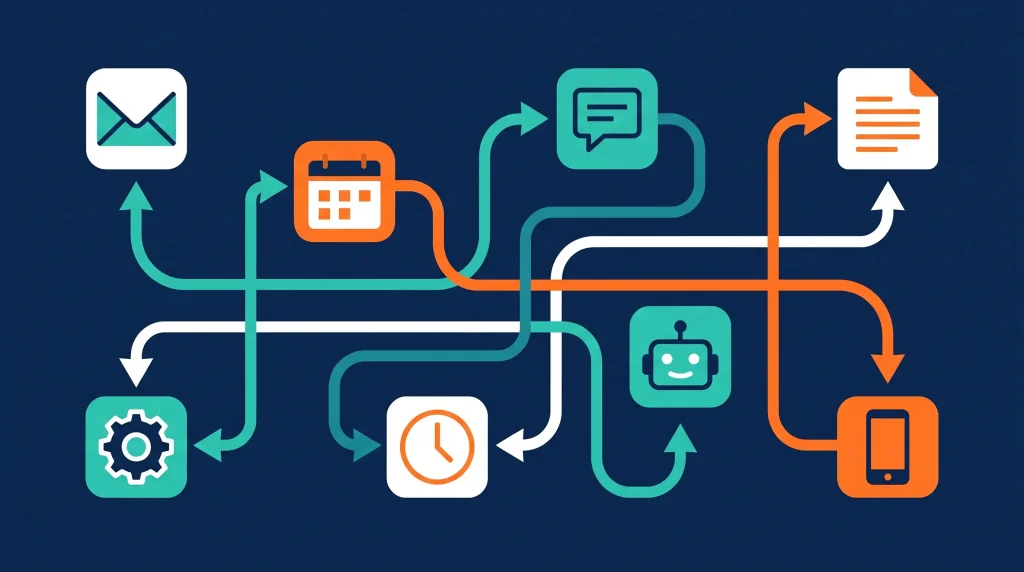
Abstract flat vector illustration of interconnected app icons (email, calendar, social media, documents) linked by flowing arrows on a dark navy background, minimal geometric style, teal, orange and white color palette, clean and modern
In-article image — AI automation section
A glowing AI chatbot interface on a dark screen surrounded by automated task bubbles (email, calendar, social post, report), futuristic digital art style, deep blue and electric teal tones, ultra-detailed, cinematic lighting
Final Verdict: Start Small, Automate Smart, Save Big
The biggest barrier to automation is not the technology — it is starting. The tools are free, the templates are ready-made, and the first automation genuinely takes less than 20 minutes to build. The question is not whether you should automate your daily tasks with free tools — it is which task you are going to tackle first.
Start with your inbox or your social media schedule. Master one automation, experience the time savings, and then expand. Within a month, you will have built a personal productivity system that handles hours of work in the background while you focus on what actually matters.
Technology should work for you — not the other way around. The free tools covered in this guide put that power within reach of anyone, regardless of technical background. All you need is the willingness to spend one afternoon setting things up.
For more guides on using AI and technology to work smarter, explore the full library at ApkBallo.com — and check out our related guide on TikTok viral video tips to see how automation applies directly to social media growth.
Ready to Get Your Time Back?
Pick one task from this guide, choose a free tool, and set up your first automation today. Start with Gmail filters or Buffer — both take under 15 minutes and deliver results immediately. Your future self will thank you.
For a comprehensive overview of automation options and comparisons, Zapier’s official beginner automation guide is one of the most detailed and up-to-date free resources available.
Disclaimer: This article is for informational and educational purposes only. Free tool features, limits, and availability may change over time. Always verify current pricing and plan details directly on each tool’s official website before making decisions.