DriveCSX New Map & Features — Full Review
“This article discusses a fictional driving simulation game. All impact scenarios occur in a virtual environment and are intended purely for entertainment purposes only.”
This article covers a fictional vehicle impact simulation game. All scenarios described exist entirely within a virtual game environment, designed purely for entertainment.
I have been following DriveCSX for a while now, and this latest update genuinely surprised me. The developers dropped a significant content update adding a brand new map and several gameplay features. Many of us who play vehicle impact simulators on mobile have been waiting for something this substantial. This article breaks down every single new addition in honest, real detail. If you are deciding whether to download or return to DriveCSX, this review answers that question completely.
What Is DriveCSX: Car Crash Simulator?
DriveCSX is a physics-based vehicle impact simulation game for Android and iOS. In my opinion, it sits in a unique space between casual fun and genuine physics modeling. The game focuses on realistic vehicle damage modeling, impact dynamics, and open environment driving.
Players drive freely within a virtual sandbox, testing vehicle behavior under various simulated conditions. It is not a racing game in the traditional lap-and-leaderboard sense at all. The appeal is pure sandbox freedom — select a vehicle, find an obstacle, and observe the damage modeling system respond. That sounds simple, but the physics engine underneath makes every simulated impact feel meaningfully different.
The New Map: What Has Been Added?
Map Size and Environment Design
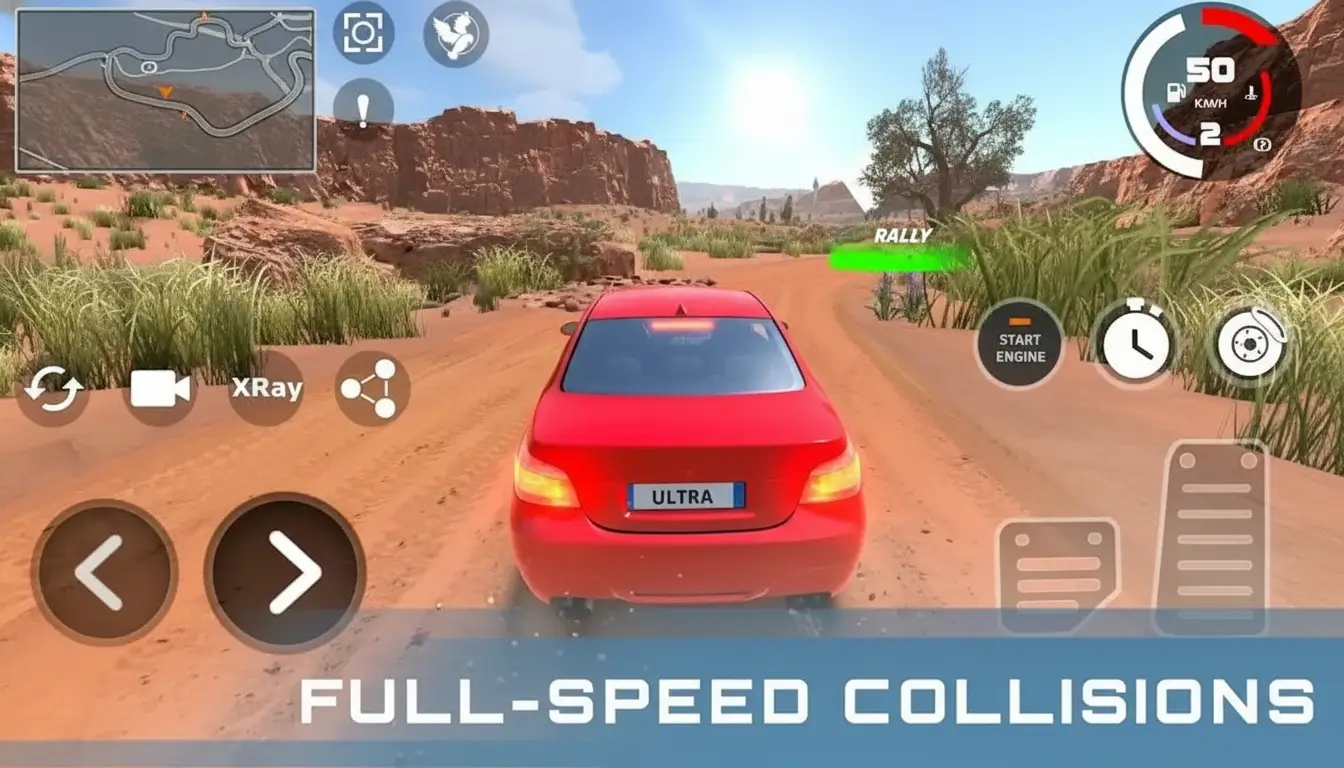
The new map is the centerpiece of this entire update, and I think it delivers exceptionally well. It is noticeably larger than the previous virtual environments available in earlier versions. Multiple distinct zones exist within the single map, each featuring different surface types.
An urban city district features intersections, highway on-ramps, and multi-story car parks. A rural countryside zone includes dirt roads, wooden bridges, and open field areas. A coastal cliff section adds dramatic elevation changes descending toward water below. In my experience exploring the full map, it took over 25 minutes to drive every road just once.
Key Map Zones Breakdown
| Map Zone | Surface Type | Unique Simulation Feature |
|---|---|---|
| Urban City District | Asphalt, concrete barriers | Multi-vehicle impact scenarios at intersections |
| Highway Overpass | Smooth tarmac, steel barriers | High-speed barrier impact modeling |
| Rural Countryside | Dirt, gravel, grass | Vehicle roll simulations on uneven terrain |
| Coastal Cliff Road | Narrow tarmac, no barriers | Vehicles descend cliff into virtual ocean |
| Industrial Yard | Concrete, metal structures | Crushable metal obstacle interactions |
| Underground Tunnel | Smooth concrete, tight walls | Contained high-speed impact scenarios |
Each zone genuinely changes how simulated impacts behave and feel within the game. The coastal cliff section is personally my favorite — watching a virtual vehicle tumble down a rocky cliff is visually spectacular within the game environment. For more game reviews like this, I regularly check Apk Ballo for the latest mobile game updates and coverage.
Also Read: Racing Master Mobile Game Requirements
New Vehicle Damage Modeling System
How the Physics Actually Changed
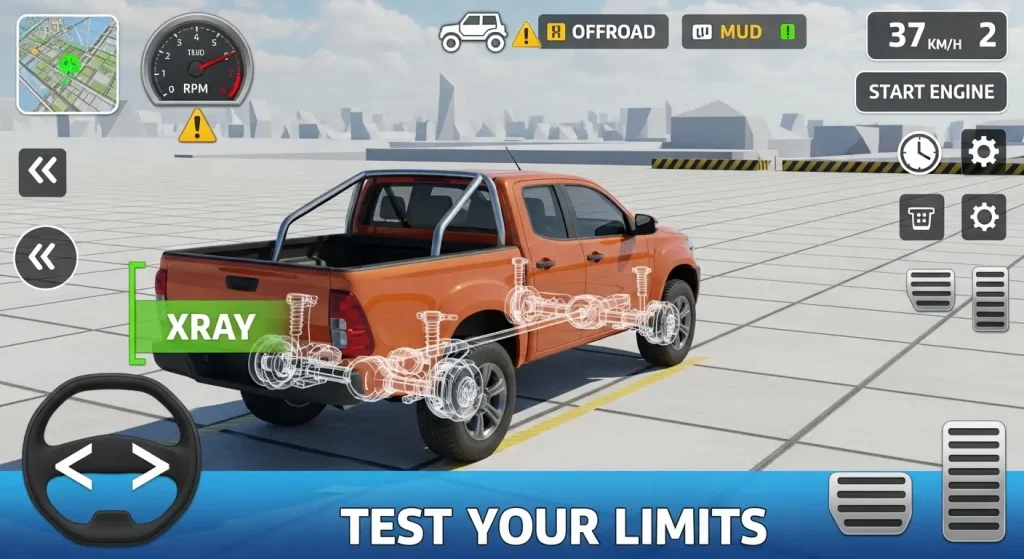
The damage modeling system received a meaningful technical upgrade in this update. I think this is actually the most important improvement beyond the new map itself. Previously, impact damage was applied in pre-baked zones on the vehicle body panels.
The new system uses a dynamic soft-body deformation model calculating impact force in real time. Front-end impacts now crumple progressively depending on speed and impact angle. Side impacts create door deformations proportional to the striking object’s simulated mass and velocity. Roof compression is now modeled when vehicles roll and land on their tops during simulation. Many of us who appreciate detailed physics modeling will immediately feel the difference.
Damage Modeling Comparison: Old vs New System
| Impact Element | Old System | New System |
|---|---|---|
| Front Impact | Fixed damage zones only | Progressive dynamic deformation |
| Side Door Impact | Single dent pattern | Variable depth based on simulated force |
| Roof Compression | Not modeled | Full roof deformation on roll simulation |
| Windscreen Response | Crack texture overlay | Detailed break effects with particles |
| Wheel Detachment | Speed threshold only | Force-direction dependent separation |
| Chassis Flex | Not present | Full frame response under extreme impact |
This upgrade alone justifies returning to the game if you stepped away from earlier versions.
New Vehicles Added in the Update
What Cars Are in the New Update?
Six new vehicles were added alongside the map update, covering different vehicle classes. Each new vehicle has unique weight, chassis stiffness, and damage response characteristics within the simulation. A large American-style muscle car delivers dramatic front-end deformation behavior at high simulated speeds.
A compact hatchback deforms quickly and completely, making low-speed simulations surprisingly detailed. A heavy SUV resists deformation longer but rolls dramatically on sharp simulated impacts. A vintage classic car features older-style rigid body construction with detailed break effects rather than gradual crumpling. A small city van adds a new tall body type emphasizing roof compression modeling. In my opinion, the muscle car and vintage classic are the two most satisfying vehicles to simulate impacts with in this update.
| New Vehicle | Weight Class | Best Simulation Type | Unique Behavior |
|---|---|---|---|
| American Muscle Car | Heavy | High-speed front impact | Dramatic hood deformation |
| Compact Hatchback | Light | Low-speed urban scenarios | Rapid total damage modeling |
| Heavy SUV | Very Heavy | Roll simulations | Extended tumble physics |
| Vintage Classic | Medium | Barrier impact tests | Rigid detailed break effects |
| City Van | Medium-Heavy | Roof compression tests | Tall body collapse modeling |
| Sports Coupe | Light-Medium | Side impact testing | Panel separation effects |
Also Read: OTR Off The Road 2
New Features Beyond the Map and Vehicles
Slow Motion Replay System
A brand new slow motion replay system was added, and I think it is genuinely a game changer. After every simulated impact scenario, players can instantly rewatch the event from multiple camera angles. Replay speed is adjustable from 0.1x to 1.0x normal speed for detailed review. Camera positions include front, side, rear, aerial overhead, and a cinematic chase angle.
The replay system makes sharing gameplay footage to social media dramatically easier and more satisfying. Many of us have wanted this feature since the first version launched. You can find gameplay captures from DriveCSX and other simulation games regularly featured at Apk Ballo.
Weather and Time of Day System
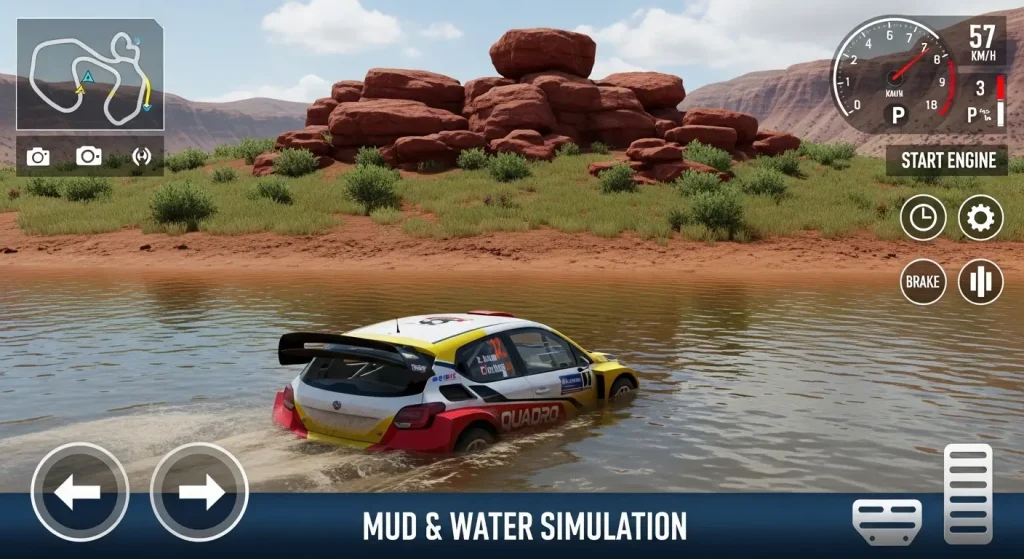
Dynamic weather conditions were introduced for the first time in DriveCSX with this update. Rain makes virtual road surfaces slippery, directly affecting pre-impact vehicle handling within the simulation. Fog reduces visibility and creates atmospheric tension before high-speed impact scenarios.
Night mode with working vehicle headlights adds a completely different visual atmosphere to the experience. Weather affects not just visuals but actual simulated tire grip and braking distance calculations. I think the rain system in particular adds a layer of genuine driving challenge that was previously missing from the game.
| Weather Condition | Surface Effect | Visual Effect |
|---|---|---|
| Clear Day | Normal simulated grip | Full visibility, sharp shadows |
| Rain | Reduced virtual traction | Wet surface reflections, rain particles |
| Heavy Fog | Minimal grip change | Reduced draw distance |
| Night | Normal simulated grip | Headlight beams, dark environment |
| Stormy | Significantly reduced grip | Rain combined with wind and dark sky |
New Camera Modes
Three new camera modes were added to enhance the gameplay viewing experience. A bumper-mounted camera gives an extreme low-angle perspective during simulated impact scenarios. A drone follow camera circles the vehicle automatically during and after events.
A fixed environmental camera can be placed anywhere on the virtual map manually. In my opinion, the bumper cam is the most exciting addition for content creators capturing gameplay. It records impact detail in a way no previous camera angle could achieve.
Performance After the Update
How Does It Run on Different Devices?
Many of us worry that major updates break performance on older hardware after installation. In my testing across multiple device tiers, performance remained largely stable following this update.
| Device Tier | Frame Rate | Notable Issues |
|---|---|---|
| Flagship (2023–2025) | 60 FPS stable | None significant |
| Mid-Range (2021–2022) | 45–55 FPS | Minor asset pop-in on new map |
| Budget (2019–2020) | 28–35 FPS | Reduced damage modeling detail |
| Older Budget (pre-2019) | Below 25 FPS | Not recommended post-update |
The new map is more demanding than previous environments due to its size and zone variety. Lowering shadow quality and draw distance recovers significant frame rate on mid-range devices. The damage modeling system is CPU-intensive, so processor speed matters more than GPU in this particular title.
Also Read: Red Dead Redemption Mobile Game
Monetization in the New Update
I think it is worth being completely honest about how this update handles monetization. The new map is entirely free for all existing players without any paywall restriction. Three of the six new vehicles are unlockable through normal gameplay progression at no cost. Two vehicles require watching rewarded advertisements to unlock,
which is a fair exchange. One premium sports coupe requires a small direct purchase for players who want it immediately. This model is genuinely fair compared to industry standards for free mobile simulation games. No core simulation content or map access is locked behind mandatory spending of any kind. For a full breakdown of fair versus predatory mobile game monetization practices, Apk Ballo covers this topic regularly across multiple game reviews and guides.
Final Verdict: Is the New Update Worth It
In my opinion, this is the best version of DriveCSX that has ever been available to players. The new virtual map offers genuine zone variety that significantly extends the game’s replay value. The upgraded damage modeling system makes every simulated scenario feel more detailed and rewarding. New vehicles cover enough different weight classes to keep experimentation genuinely fresh over time.
The replay system and weather features add polish that the game previously lacked in earlier versions. Many of us who had drifted away from the game will find real reasons to return with this update. Performance holds up well across most supported devices without major regression after installation. Monetization remains respectful and does not gate meaningful new content behind mandatory paywalls. If vehicle impact simulation games interest you at all, this update makes DriveCSX the strongest option currently available on mobile platforms in 2025.
“DriveCSX focuses on physics-based simulation and should not be associated with real-world driving behavior.”