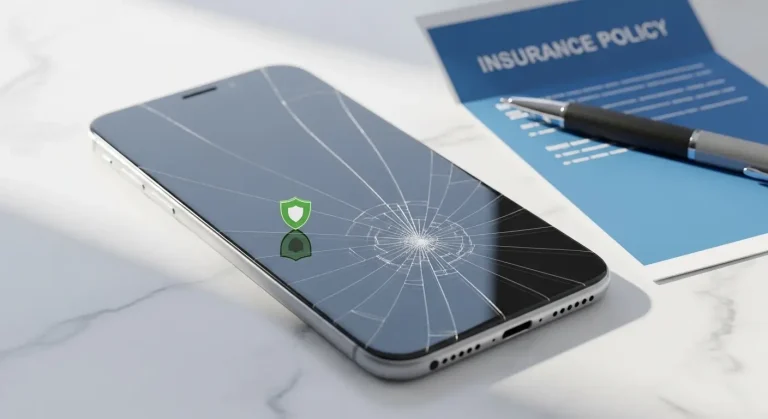

AppleCare vs Third-Party Insurance: Which One Is Worth Your Money?
You just unboxed a brand-new iPhone 15 Pro. The Apple Store rep smiles and asks: “Would you like to add AppleCare+?” You hesitate. It’s not cheap. But what if you drop it? What if it falls into the sink?
This is a decision millions of Apple users face every year — and the wrong choice can cost you hundreds of dollars. Understanding AppleCare vs third-party insurance before you swipe your card could be one of the smartest financial moves you make this year.
Let’s break it all down — coverage, cost, claims, and which option actually protects your wallet.
Is AppleCare Worth It in 2025?
This is the question every new iPhone, iPad, or Mac buyer asks. And the honest answer? It depends on your device, your habits, and your existing coverage.
AppleCare+ offers peace of mind with direct Apple service — but third-party insurance plans often provide broader coverage at a lower monthly premium. Neither option is universally better; the right choice depends on your specific policy terms and lifestyle.
AppleCare vs Third-Party Insurance: Quick Answer
Short answer: AppleCare+ is ideal if you want seamless Apple-certified repairs and minimal hassle. Third-party insurance is typically better if you need theft coverage, lower monthly costs, or multi-device protection.
In most cases, third-party plans win on price and coverage breadth — but AppleCare wins on repair quality and simplicity.

Types of Coverage Options Available
1. AppleCare+ (Apple’s Official Plan)
AppleCare+ is Apple’s own device protection plan. It typically covers:
- Hardware failures not covered under the standard warranty
- Up to two incidents of accidental damage every 12 months
- Battery service if capacity drops below 80%
- 24/7 priority access to Apple Support
AppleCare+ is available as a one-time payment or a monthly subscription. Pricing varies by device — for an iPhone 15 Pro, it’s typically around $9.99/month or $199 upfront (based on Apple’s standard pricing).
2. Third-Party Device Insurance Plans
Third-party insurers — like Asurion, SquareTrade (now Allstate Protection Plans), Worth Ave. Group, and carriers like AT&T PROTECT Advantage — offer alternative device protection.
These plans often include:
- Accidental damage (drops, spills, cracked screens)
- Theft and loss coverage (not available with standard AppleCare+)
- Mechanical breakdown after manufacturer warranty expires
- Multi-device bundles for families
Providers such as State Farm and Asurion also allow you to file claims entirely online, often with next-day replacement options.
3. Credit Card Purchase Protection
Some premium credit cards — like Chase Sapphire Reserve or American Express Platinum — include built-in purchase protection and extended warranty benefits. This won’t replace a full insurance plan but can supplement coverage for the first 90–120 days.
Also Read: Homeowners Insurance Cover Laptop Stolen? What You Must Know
Coverage Comparison Table
| Insurance Type | Accidental Damage | Theft / Loss | Monthly Cost | Best For |
|---|---|---|---|---|
| AppleCare+ | ✅ Yes (2x/year) | ❌ No (standard) / ✅ with AppleCare+ Theft & Loss | ~$9.99–$13.49/mo | Apple loyalists, clumsy users |
| Asurion (Carrier) | ✅ Yes | ✅ Yes | ~$14–$17/mo | Full replacement needs |
| SquareTrade / Allstate | ✅ Yes | ✅ Varies by plan | ~$8–$12/mo | Budget-conscious users |
| Credit Card Protection | ⚠️ Limited | ⚠️ Varies by card | $0 (card fee applies) | Supplemental coverage only |
| Homeowners / Renters Insurance | ⚠️ Depends on policy | ✅ Often yes | Bundled into home policy | Existing policy holders |
What Is Covered vs. Not Covered
✅ Typically Covered
- Cracked screens and display damage
- Liquid/water damage
- Battery replacement (when capacity degrades significantly)
- Hardware defects and malfunctions
- Theft and loss (with eligible plans)
- Unauthorized repairs (AppleCare only honors Apple-authorized service)
❌ Typically NOT Covered
- Cosmetic damage that doesn’t affect function (scratches, dents)
- Intentional damage or abuse
- Loss due to negligence (varies by provider)
- Accessories (cases, chargers, AirPods — unless specifically listed)
- Pre-existing damage at time of enrollment
- Claims exceeding the annual limit
⚠️ Always review your specific policy terms before enrolling — coverage varies significantly by provider and plan tier.
Costs, Deductibles, and Claims
Understanding the true cost of a protection plan means looking beyond the monthly premium.
AppleCare+ Cost Breakdown
| Device | Monthly Plan | One-Time (2-Year) | Service Fee (Screen) | Service Fee (Other Damage) |
|---|---|---|---|---|
| iPhone 15 | $9.99/mo | $199 | $29 | $99 |
| iPhone 15 Pro Max | $13.49/mo | $269 | $29 | $149 |
| MacBook Pro | $19.99/mo | $399 | — | $299 |
Third-Party Cost Breakdown
Third-party plans typically charge $8–$17/month depending on device value and coverage tier. Deductibles for screen repair range from $25–$100, and full replacement deductibles can reach $149–$250 for flagship smartphones.
According to insurer guidelines, most plans cap claims at 2–3 per 12-month period — exceeding this may result in policy cancellation.
Step-by-Step Claim Process
Whether you choose AppleCare or a third-party plan, the general claim process is similar:
- Confirm your active policy — Log in to your provider’s app or website and verify coverage is in effect.
- Document the damage — Take clear photos or videos of the damage before doing anything else.
- File your claim — Submit online, via app, or by calling your insurer’s claims line.
- Pay your deductible — This is due upfront before repair or replacement is processed.
- Get your device repaired or replaced — AppleCare routes you to an Apple Store or Apple Authorized Service Provider. Third-party plans may send a replacement device directly.
Pro tip: With AppleCare, scheduling a Genius Bar appointment often results in same-day repairs for screen damage, based on typical Apple service timelines.

Common Mistakes That Get Claims Denied
Avoid these errors — they are among the most frequent reasons insurers deny device claims:
- Filing after the coverage window — Damage must typically be reported within 30–60 days
- Not having proof of prior coverage — Insurers may deny if the device was damaged before enrollment
- Exceeding the annual claim limit — Most plans allow only 2 incidents per year
- Using unauthorized repair shops — AppleCare voids if the device was previously repaired by a non-Apple-certified technician
- Misrepresenting the damage — Describing accidental damage as theft (or vice versa) can void your claim entirely
- Missing deductible payment deadlines — Claims can lapse if payment isn’t received promptly
Is It Worth It? The Financial Logic of AppleCare vs Third-Party Insurance
Let’s run the numbers for a typical iPhone 15 Pro user:
Scenario A: You never file a claim
- AppleCare+ at $13.49/month × 24 months = $323.76 paid, $0 received
Scenario B: One cracked screen
- AppleCare+ cost: $323.76 + $29 service fee = $352.76
- Out-of-pocket screen repair (Apple official): $329
- Savings with AppleCare+: ~$0 (marginal)
Scenario C: Two accidental damage incidents + one theft (with Theft & Loss upgrade)
- AppleCare+ with T&L at $17.49/month × 24 = $419.76 + (2 × $99 deductible) = $617.76 spent
- Out-of-pocket replacement: $1,199+
- Savings: ~$580+ ✅
Verdict: AppleCare+ pays off primarily if you’re prone to accidents or own a high-value device. For casual users with a strong phone case habit, a third-party plan or no plan may be the smarter financial call.
Tips to Save Money on Device Insurance
- Check your homeowners or renters insurance — Many policies cover personal electronics, including smartphones, under personal property. Providers like Liberty Mutual and Progressive often offer affordable riders.
- Skip AppleCare on older devices — The cost-to-value ratio drops significantly for devices over 2 years old.
- Use a quality case and screen protector — Reducing claim frequency saves you deductibles over time.
- Compare carrier-bundled plans — AT&T, Verizon, and T-Mobile bundle device protection that sometimes beats standalone options.
- Pay upfront for AppleCare — The two-year lump sum is typically cheaper than 24 monthly payments.
- Review your credit card benefits — As noted by NerdWallet’s credit card protection guide, premium travel cards often include extended warranty and purchase protection at no extra cost.
Also Read: Phone Stolen No Insurance? Here’s What Happens Next
FAQ: AppleCare vs Third-Party Insurance
Does AppleCare cover theft? Standard AppleCare+ does not cover theft. Apple offers a separate AppleCare+ with Theft and Loss upgrade, which does include theft and loss protection — typically for an additional $3–$4/month, based on typical Apple pricing.
Can I add AppleCare after I buy my iPhone? In most cases, yes — Apple typically allows you to add AppleCare+ within 60 days of purchase, subject to a device inspection. After that window, enrollment is generally not available.
What happens if I file too many claims? Most plans — including third-party insurers — limit claims to 2 incidents per 12-month rolling period. Exceeding this may result in claim denial or policy termination, depending on your policy terms.
Is third-party insurance better than AppleCare for MacBooks? For MacBooks, AppleCare+ is often the stronger choice due to the complexity of Apple’s proprietary hardware. Third-party plans may offer broader loss coverage, but Apple-certified repairs for MacBooks are difficult to find outside the official network.
Does AppleCare transfer if I sell my device? Yes — in most cases, AppleCare+ transfers to the new owner when you sell the device, which can increase resale value. Confirm this with Apple’s current transfer policy at time of sale.
Final Verdict + What You Should Do Next
When comparing AppleCare vs third-party insurance, neither option is universally superior. Here’s the simple breakdown:
Choose AppleCare+ if:
- You own a flagship iPhone, iPad Pro, or MacBook
- You want hassle-free, Apple-certified repairs
- You’re accident-prone and want guaranteed screen repair at a flat fee
Choose third-party insurance if:
- You need theft and loss at a lower total cost
- You want to cover multiple devices under one plan
- You have existing homeowners/renters insurance that can be extended
Consider skipping both if:
- You’ve had your device for 2+ years
- You have credit card purchase protection in place
- You rarely damage devices and have an emergency fund
The smartest move? Compare your specific plan options side by side before your 60-day AppleCare enrollment window closes.
Disclaimer: This content is for informational purposes only and does not constitute insurance or financial advice. Coverage terms, pricing, and eligibility vary by provider, region, and plan tier. Always review your policy details carefully or consult your insurance provider before making any coverage decisions.